AgentVista: Evaluating Multimodal Agents in Ultra-Challenging Realistic Visual Scenarios

1HKUST   2UNC   3Zhejiang University   4NUS

Abstract

Real-world multimodal agents solve multi-step workflows grounded in visual evidence. For example, an agent can troubleshoot a device by linking a wiring photo to a schematic and validating the fix with online documentation, or plan a trip by interpreting a transit map and checking schedules under routing constraints. However, existing multimodal benchmarks mainly evaluate single-turn visual reasoning or specific tool skills, and they do not fully capture the realism, visual subtlety, and long-horizon tool use that practical agents require. We introduce AgentVista, a benchmark for generalist multimodal agents that spans 25 sub-domains across 7 categories, pairing realistic and detail-rich visual scenarios with natural hybrid tool use. Tasks require long-horizon tool interactions across modalities, including web search, image search, page navigation, and code-based operations for both image processing and general programming. Comprehensive evaluation of state-of-the-art models exposes significant gaps in their ability to carry out long-horizon multimodal tool use. Even the best model in our evaluation, Gemini-3-Pro with tools, achieves only 27.3% overall accuracy, and hard instances can require more than 25 tool-calling turns. We expect AgentVista to accelerate the development of more capable and reliable multimodal agents for realistic and ultra-challenging problem solving.

Benchmark at a Glance

209
Total Tasks
308
Total Images
7
Major Categories
25
Sub-domains

Category Distribution

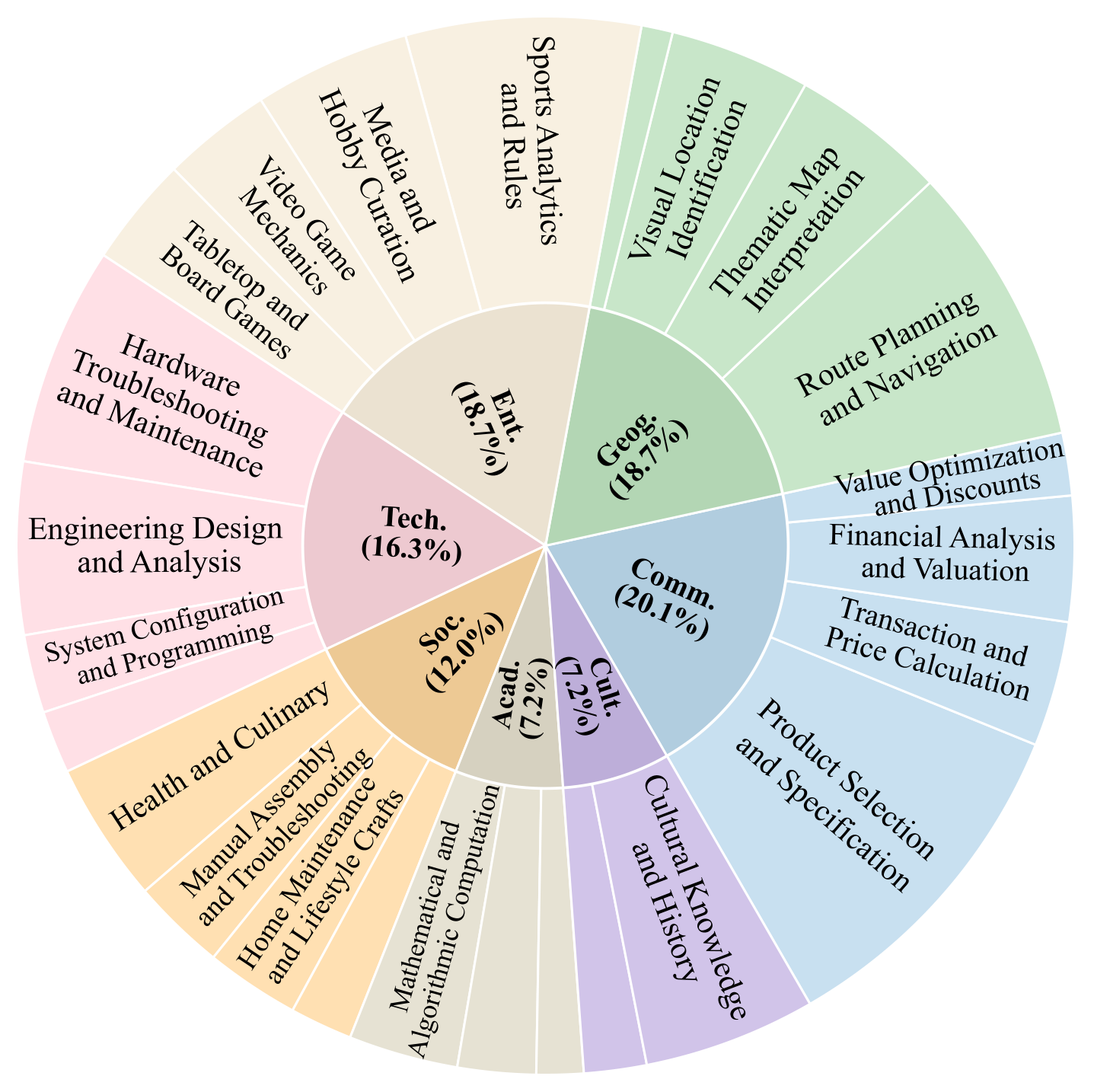
AgentVista category distribution

The categorization of AgentVista. The benchmark spans 7 major categories and 25 sub-domains, covering a broad range of realistic and challenging multimodal agent scenarios.

Dataset Construction Pipeline

AgentVista is built from 300k+ real images through a rigorous 4-stage pipeline: (1) Agent-centric filtering reduces the pool to 568 candidates (0.19%); (2) Expert finalization produces 315 tasks; (3) Execution filtering retains 241 tasks with verified tool-use diversity; (4) Two-round verification yields the final 209 tasks. On average, constructing a single instance takes about 4 hours.
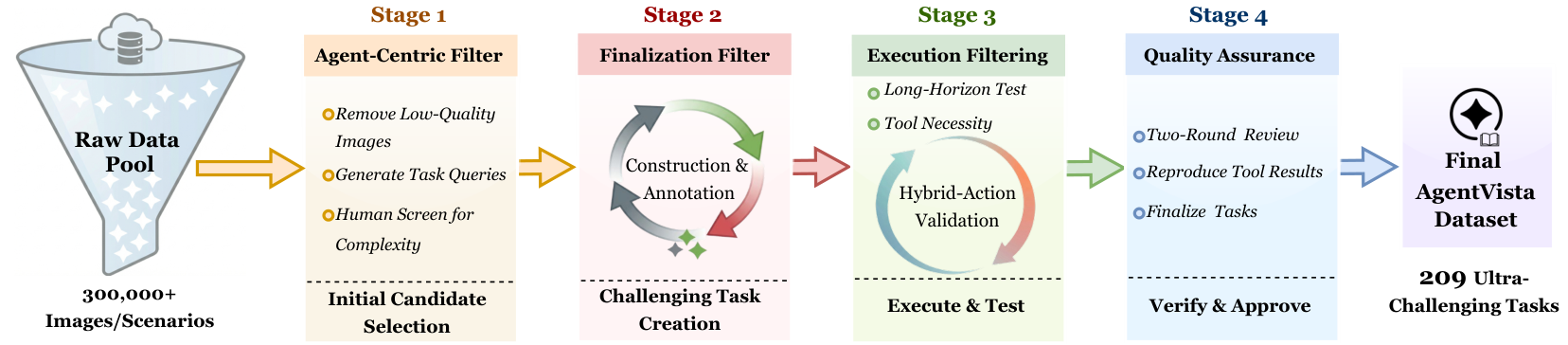
AgentVista dataset construction pipeline

Overview of the AgentVista dataset construction pipeline, consisting of agent-centric filtering, expert finalization, execution filtering, and two-round verification.

Data Examples

Each query in AgentVista is grounded in complex, real-world visual scenes and is designed to elicit agentic tool use with multi-step reasoning toward a unique, verifiable answer. Examples span diverse domains including commerce, geography, entertainment, technology, society, academics, and culture.

Sampled AgentVista examples from each domain

Sampled AgentVista examples from each domain. Each query is grounded in complex, real-world visual scenes and designed to elicit agentic tool use with multi-step reasoning.

Tool Environment

AgentVista supports a compact set of tools covering common multimodal agent workflows. Models interact with these tools over long-horizon trajectories, with the best models averaging over 12 tool-calling turns per task.

Web Search

Web Search

Retrieve web pages for facts, events, and specifications needed to solve tasks.

Image Search

Image Search

Text-to-image and reverse image search to locate visual references.

Page Navigation

Page Navigation

Visit and extract content from web pages for detailed information retrieval.

Code Interpreter

Code Interpreter

Execute Python for image processing (crop, zoom, measure) and general computation.

Leaderboard

Main results on the AgentVista benchmark. All values are accuracies (%). The best-performing model in each category is shown in red bold and the second best is underlined. Overall, Gemini-3-Pro achieves the highest accuracy among all evaluated models.

Model By Category By Input Mode Summary
Comm. Geog. Ent. Tech. Soc. Acad. Cult. Single Multi Overall # Turns
Gemini-3-Pro 16.67 28.21 20.51 32.35 32.00 40.00 40.00 23.68 36.84 27.27 6.67
GPT-5 23.81 23.08 12.82 35.29 28.00 26.67 26.67 24.34 24.56 24.40 12.67
GPT-5.2 21.43 17.95 20.51 38.24 24.00 33.33 20.00 23.03 28.07 24.40 13.85
GPT-5.1 23.81 12.82 15.38 26.47 24.00 40.00 40.00 19.74 31.58 22.97 17.14
Gemini-3-Flash 16.67 17.95 10.26 29.41 28.00 40.00 20.00 18.42 28.07 21.05 7.78
o3 21.43 15.38 7.69 23.53 40.00 26.67 13.33 17.76 26.32 20.10 13.18
Claude-Opus-4.1 11.90 23.08 10.26 29.41 16.00 26.67 13.33 16.45 22.81 18.18 7.28
GPT-4.1 16.67 15.38 10.26 29.41 20.00 20.00 13.33 15.13 24.56 17.70 1.74
Claude-Sonnet-4.5 11.90 23.08 7.69 26.47 24.00 20.00 13.33 17.11 19.30 17.70 9.99
Claude-Opus-4 19.05 12.82 5.13 26.47 20.00 20.00 6.67 11.84 26.32 15.79 6.89
Grok-4 11.90 23.08 7.69 20.59 28.00 0.00 0.00 13.82 17.54 14.83 16.44
Claude-Sonnet-4 9.52 15.38 2.56 29.41 16.00 20.00 6.67 11.18 21.05 13.88 5.37
Qwen3-VL-235B 7.14 7.69 7.69 26.47 16.00 20.00 13.33 11.84 15.79 12.92 2.34
o4-mini 2.38 10.26 2.56 8.82 8.00 13.33 0.00 6.58 5.26 6.22 1.89

Analysis

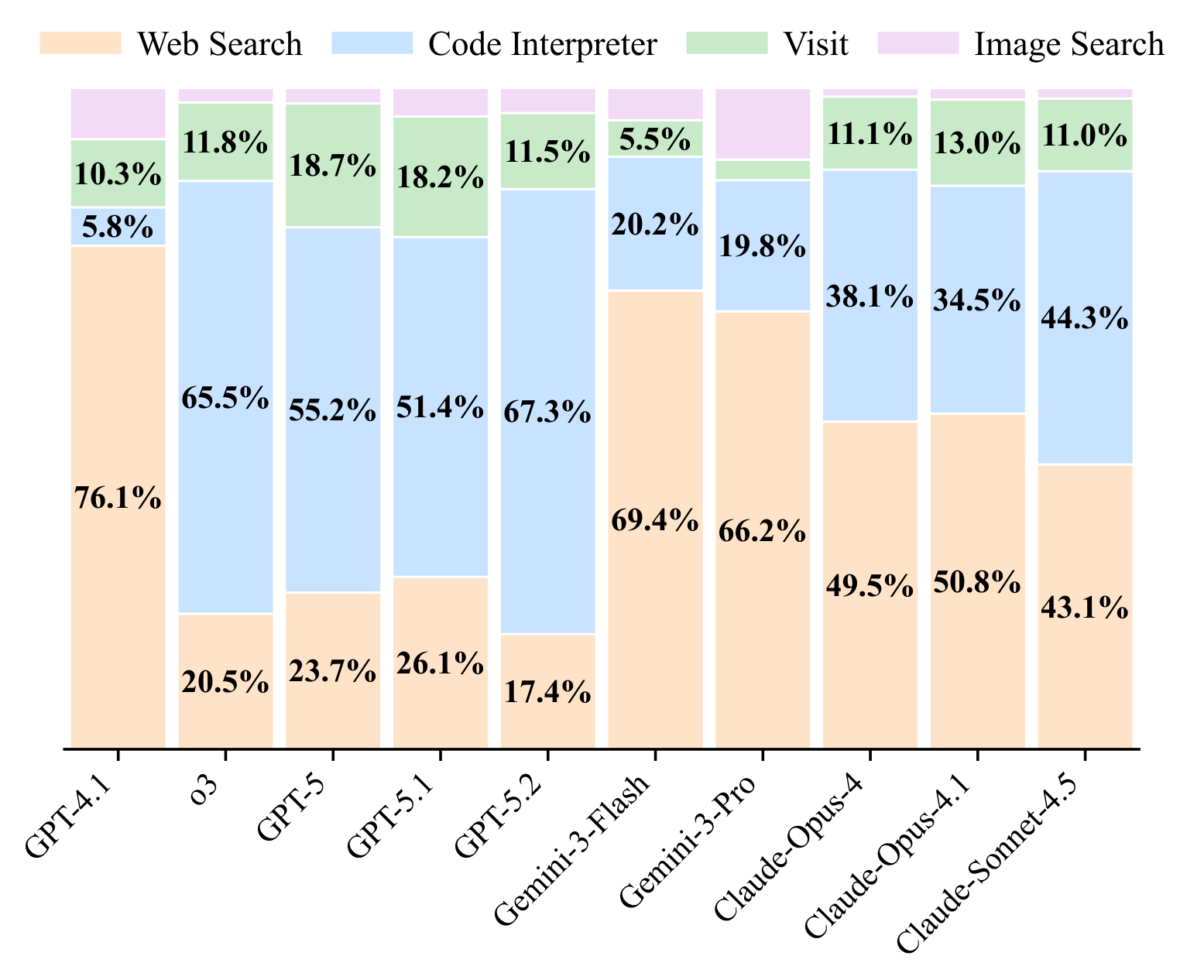
Tool distribution across models

Tool-use distribution across models. GPT models rely more on the code interpreter, while Gemini and Claude models use web search most frequently.
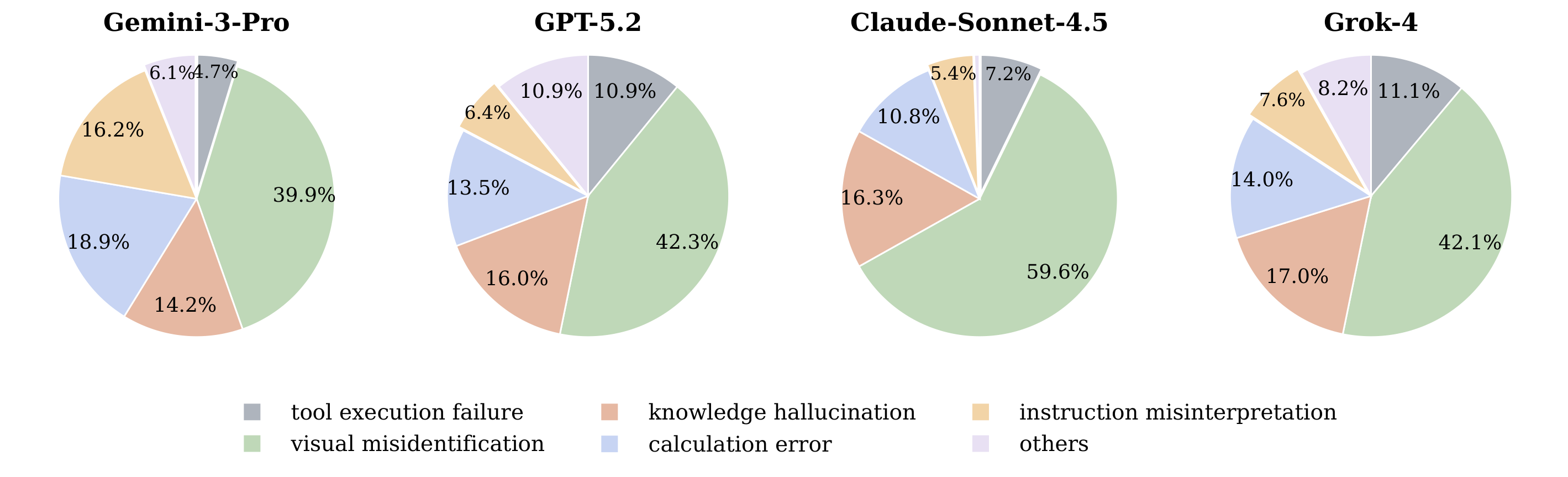
Error category distribution

Error category distribution across four multimodal models. Visual misidentification is the dominant failure mode across all models, indicating that many errors originate from incorrect grounding on fine-grained visual evidence.
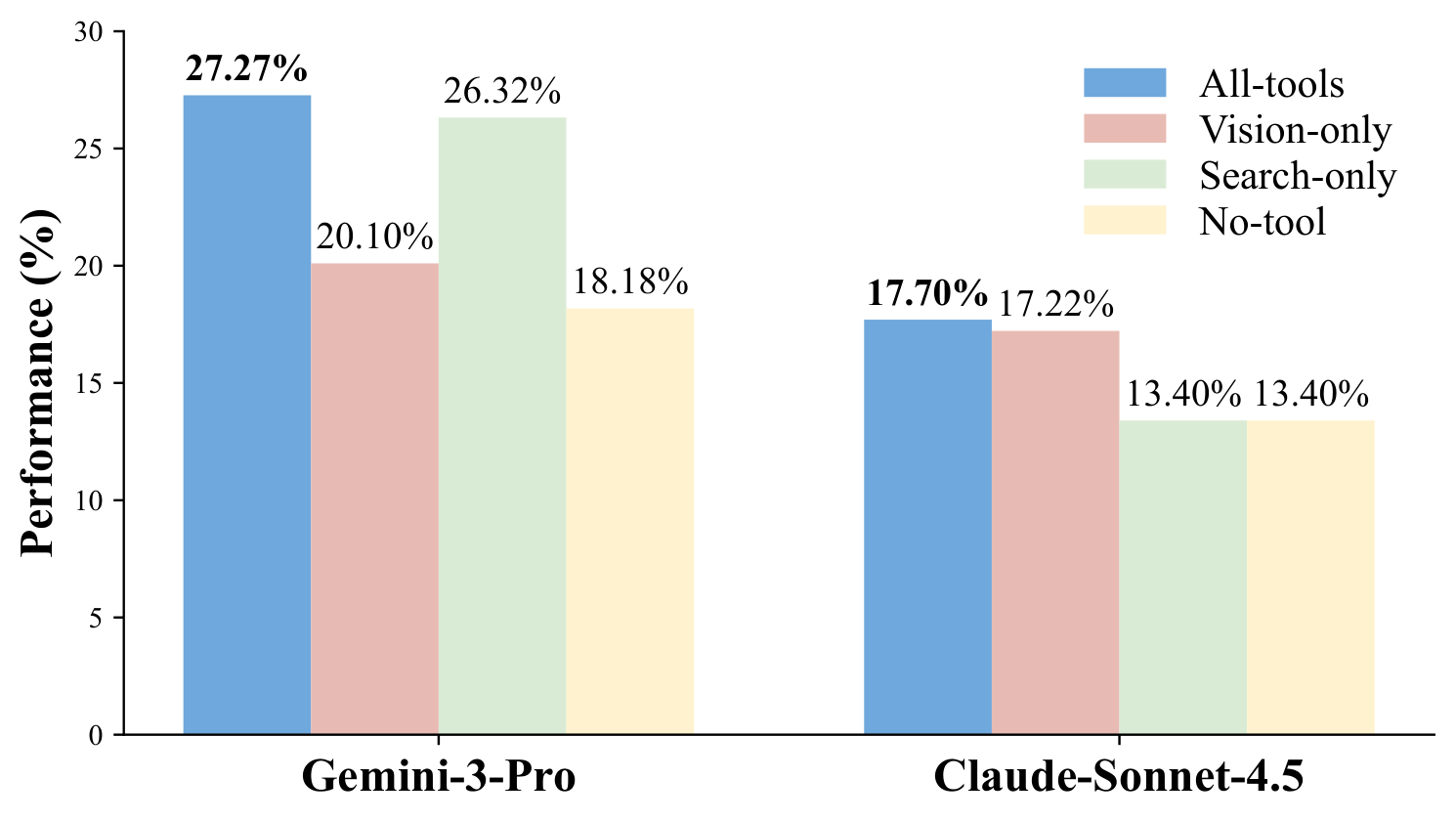
Tool ablation study results

Tool ablation on Gemini-3-Pro and Claude-Sonnet-4.5. Both models perform best with the full tool suite, highlighting the importance of combining visual manipulation and retrieval.
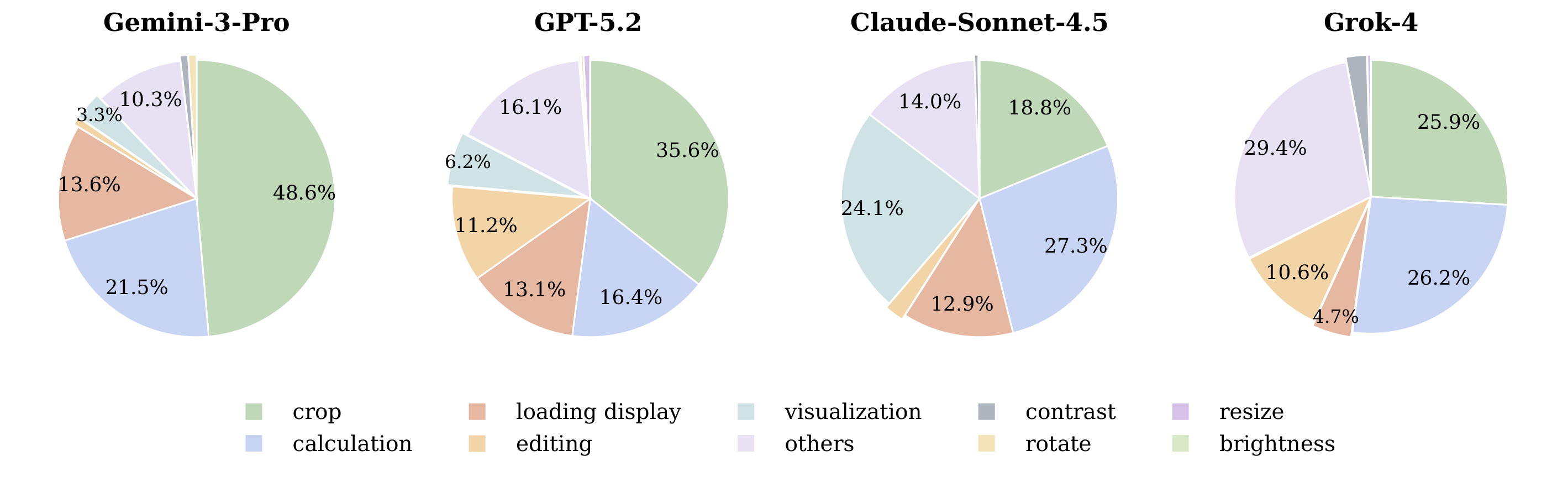
Code interpreter operation distribution

Image manipulation operation distribution of code interpreter calls across four models. Crop is the most frequent operation, suggesting that many interactions rely on localized visual grounding before further reasoning.

Case Studies

We present representative agent trajectories from Gemini-3-Pro showing both successful and failed problem-solving. Each case includes the full task, input images, step-by-step tool calls with the model's reasoning and observations, and the final answer.

Success Gemini-3-Pro · 7 tool calls
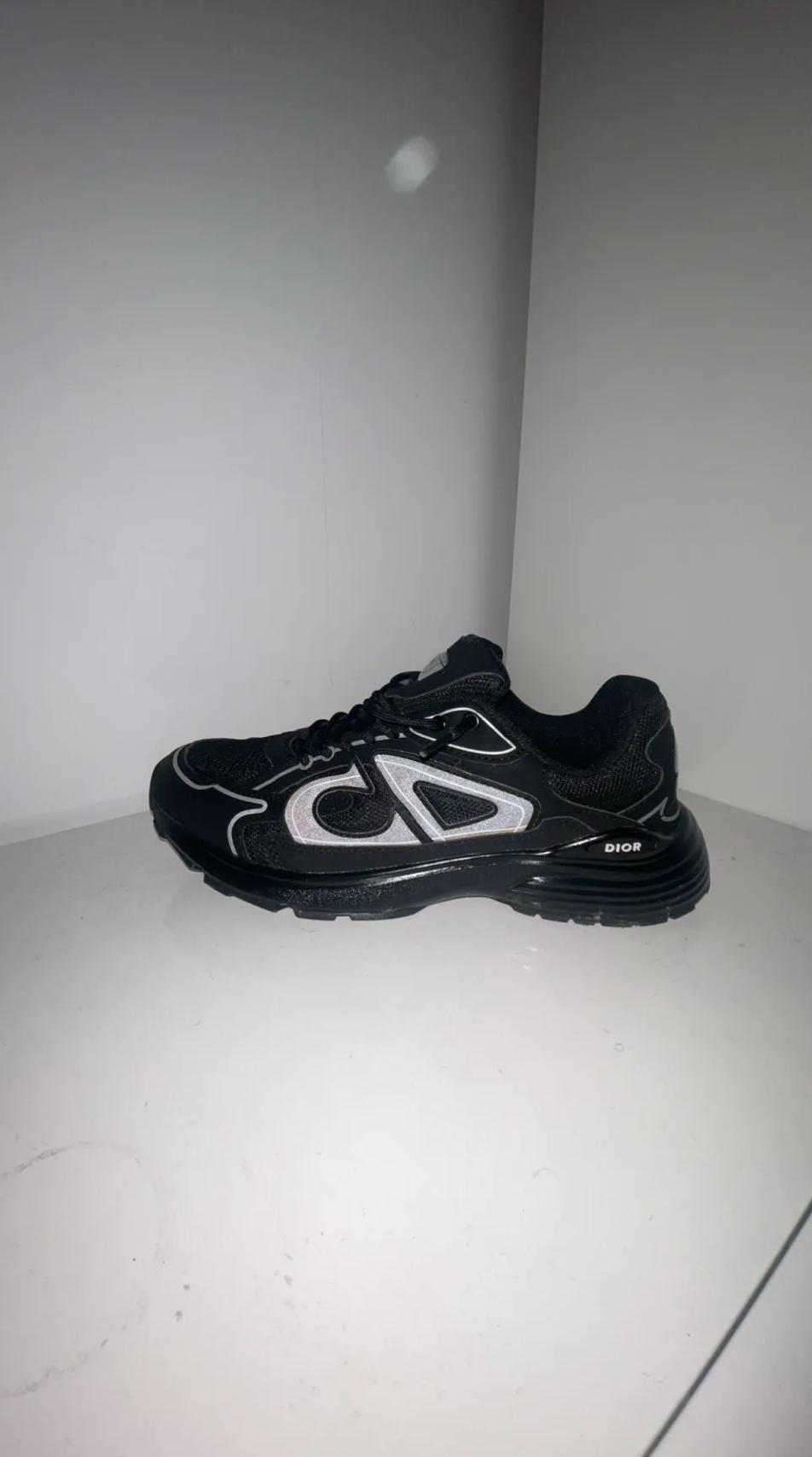
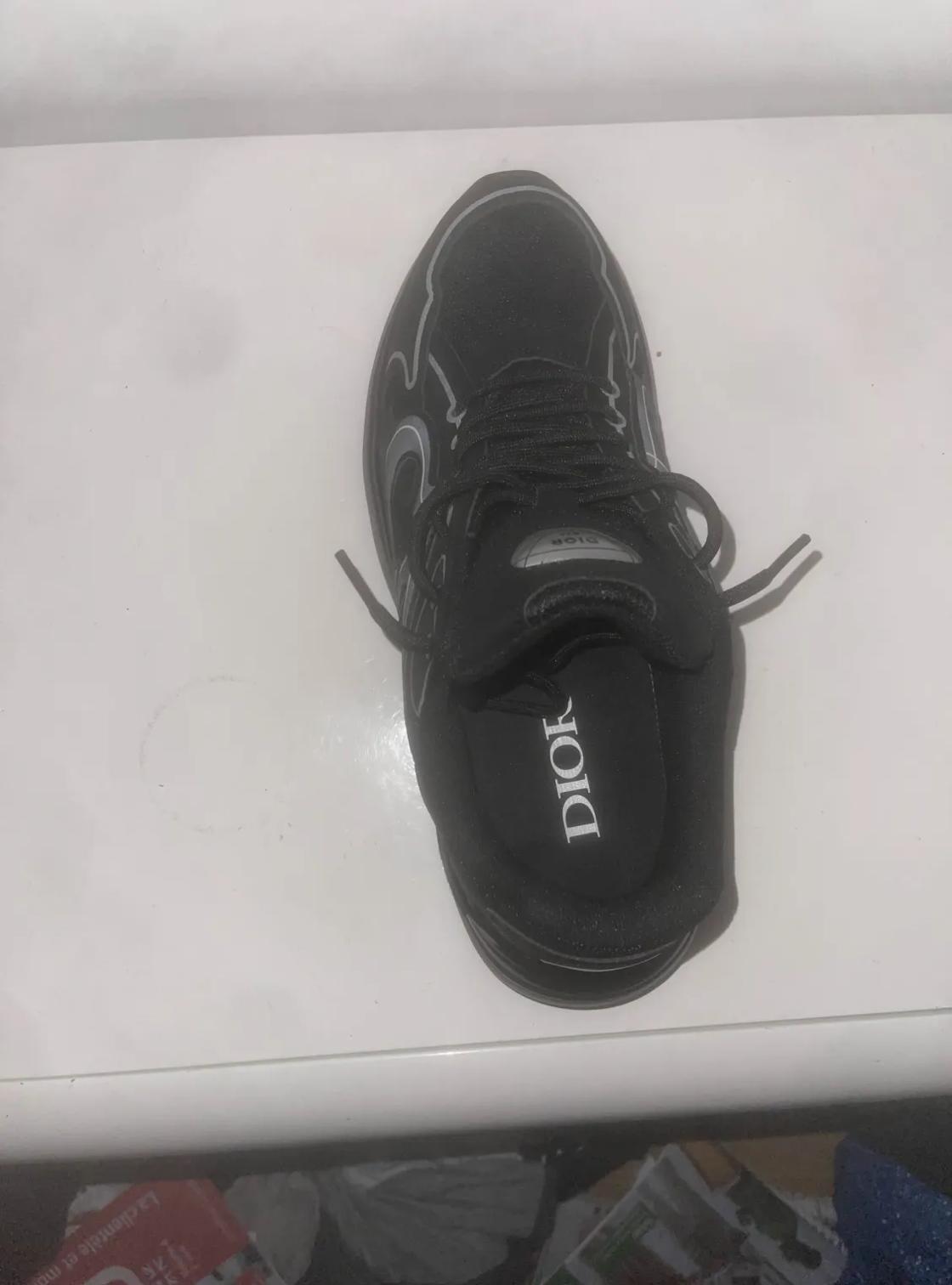
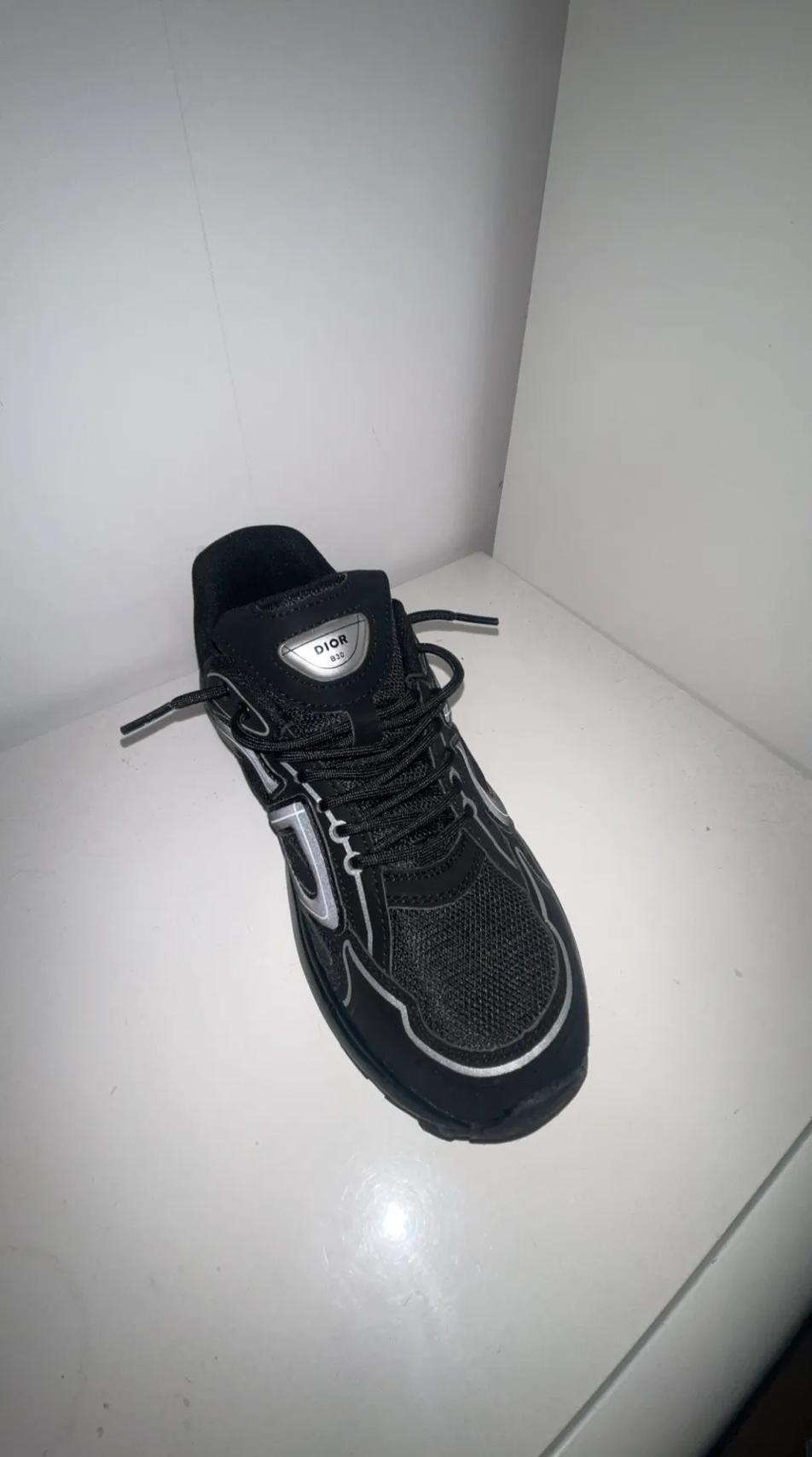
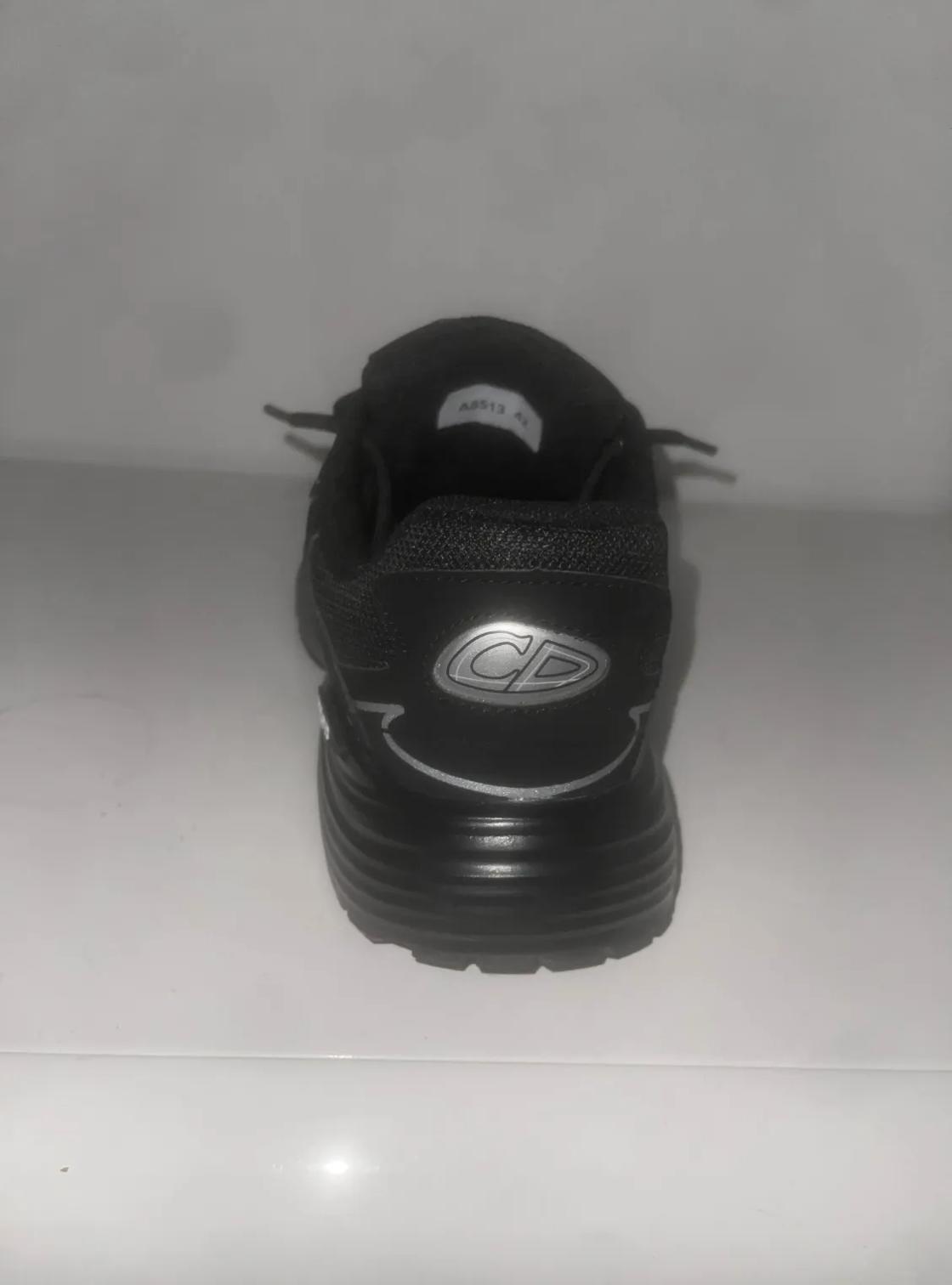
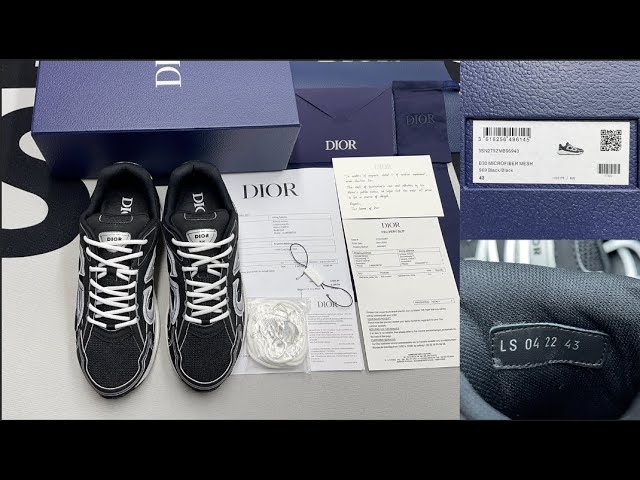
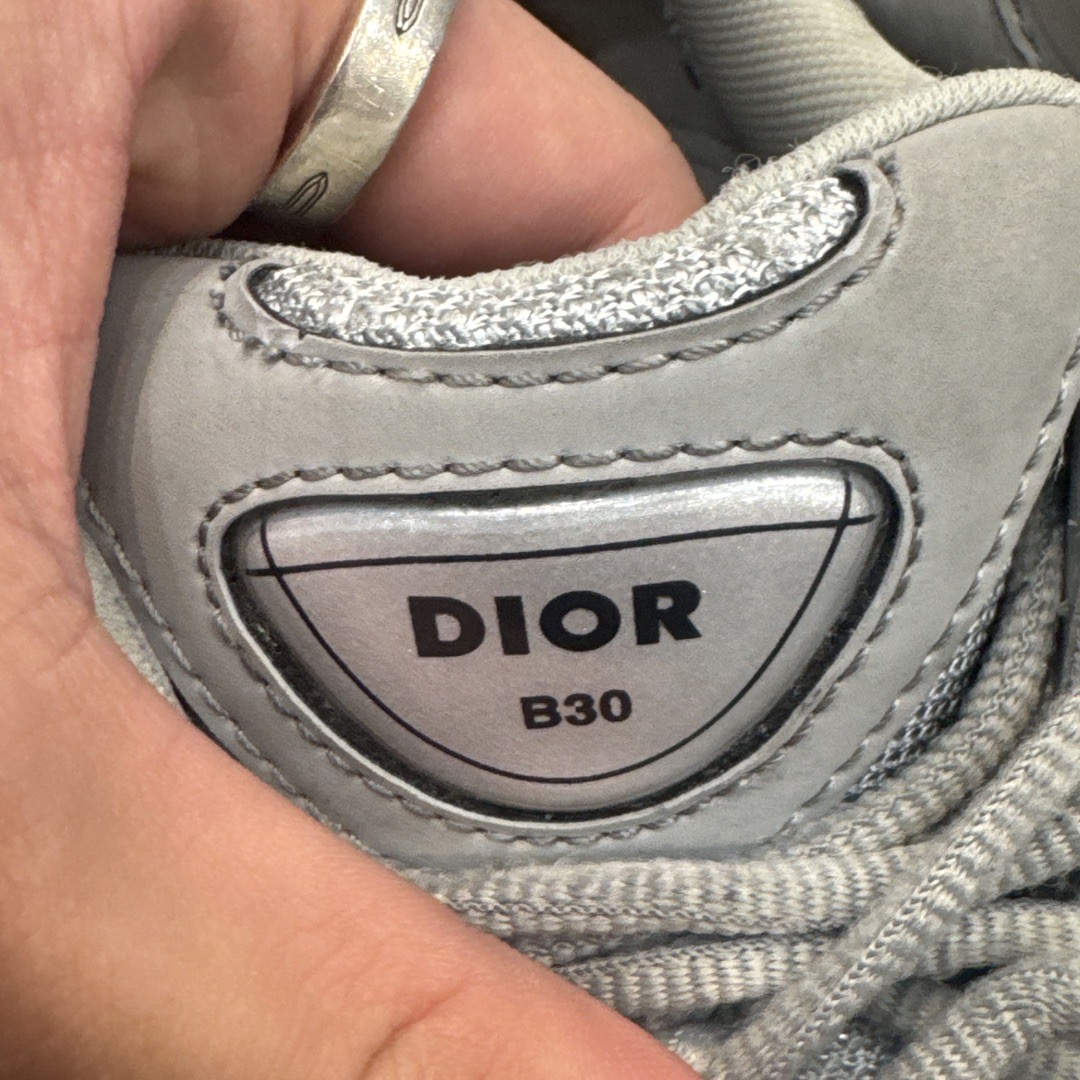
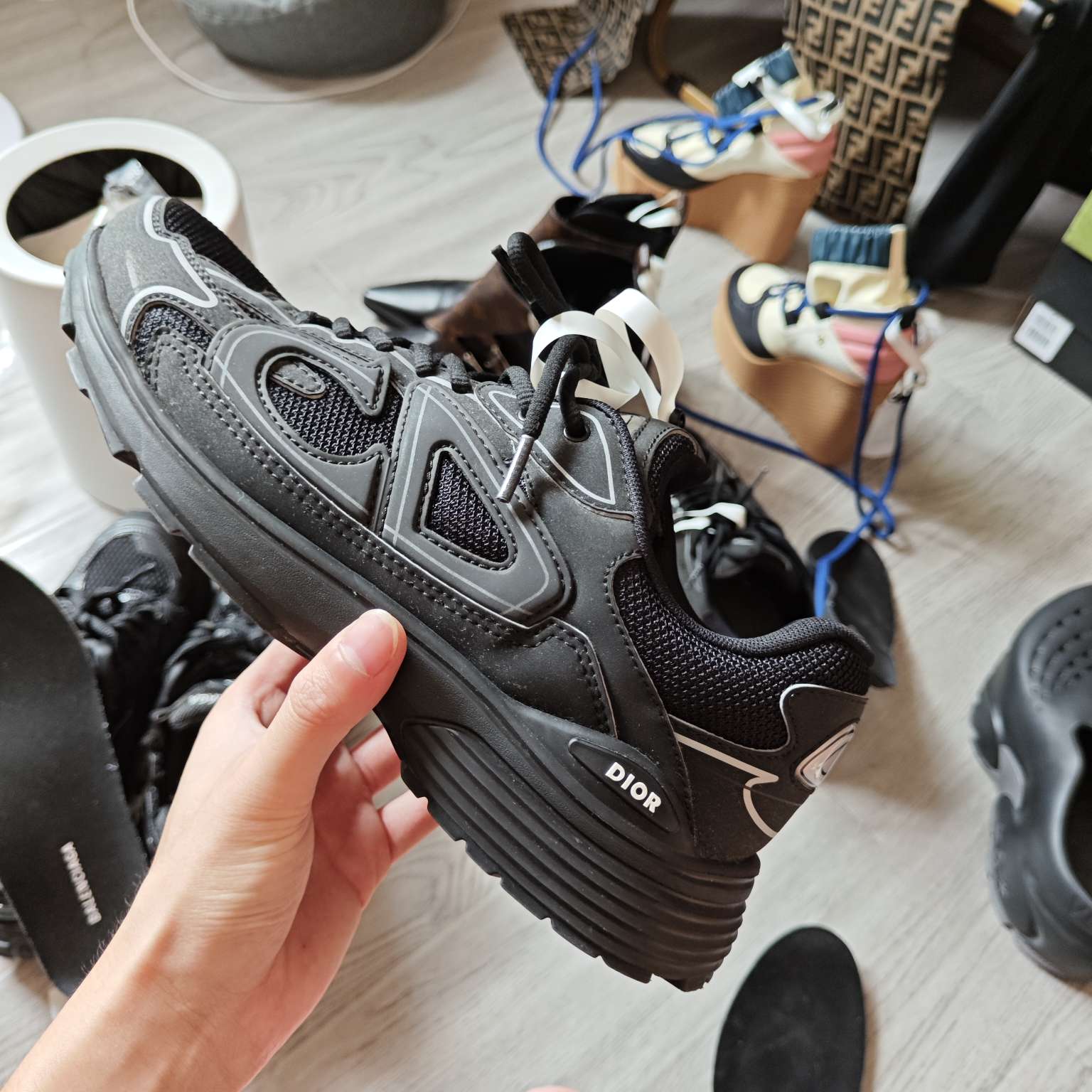
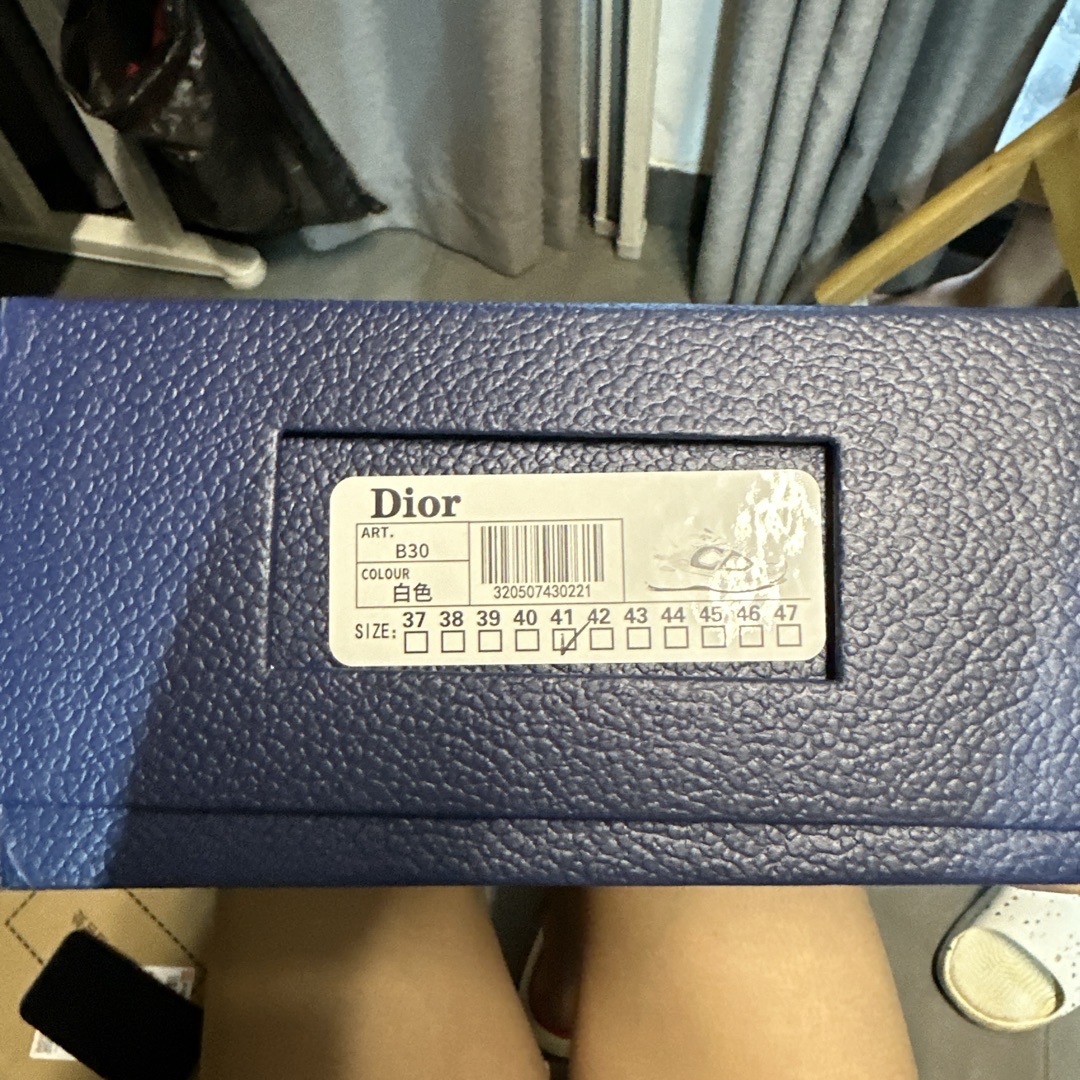
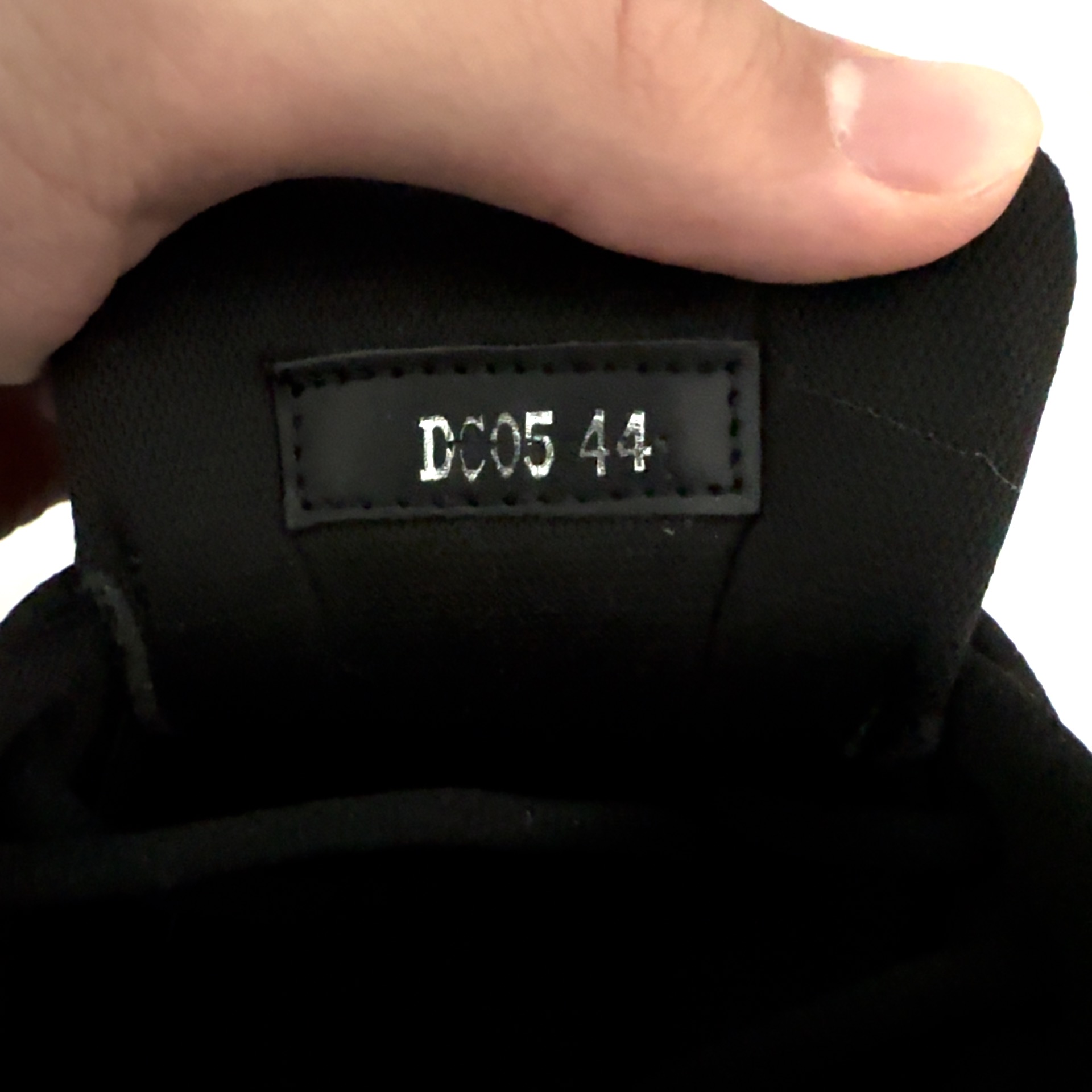
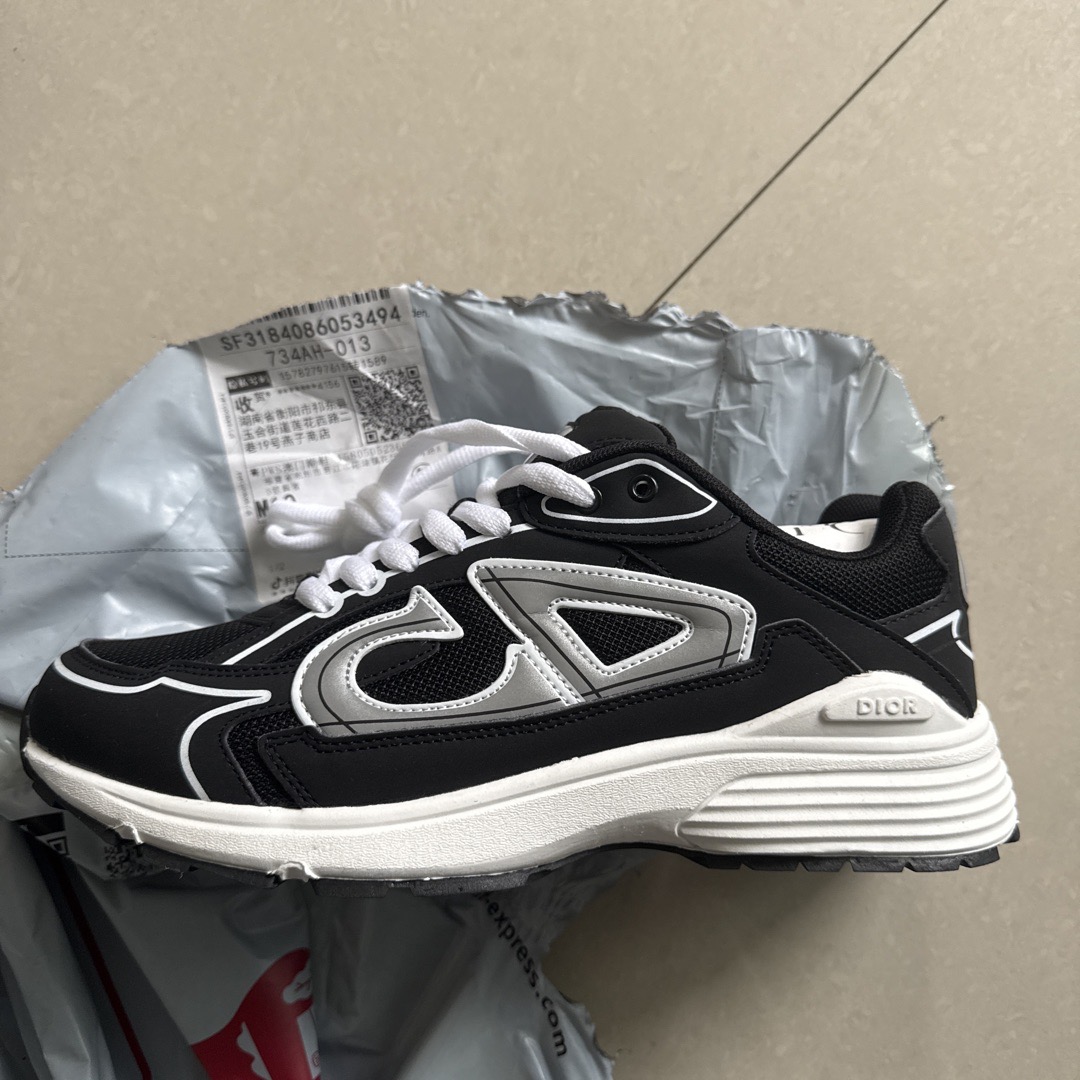
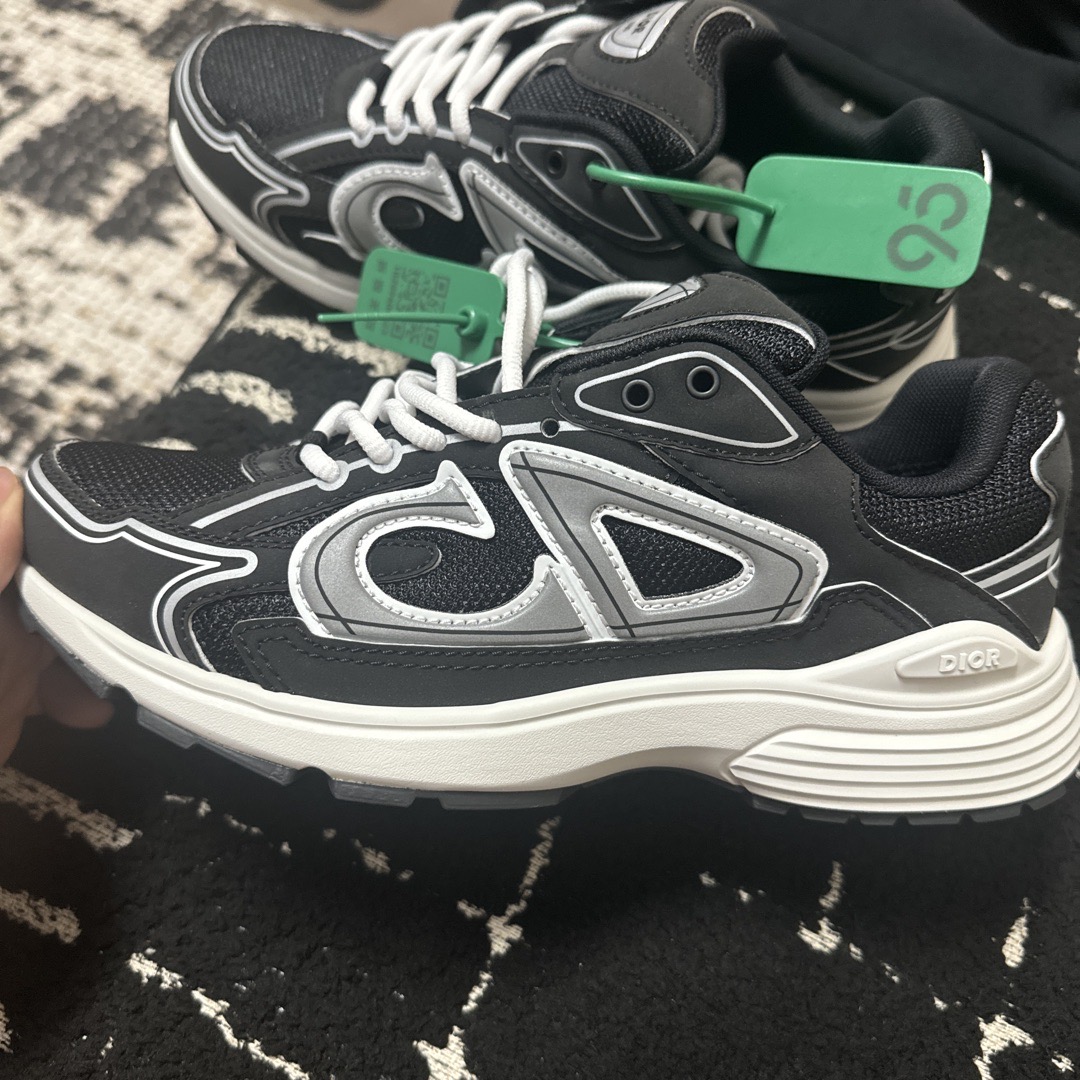
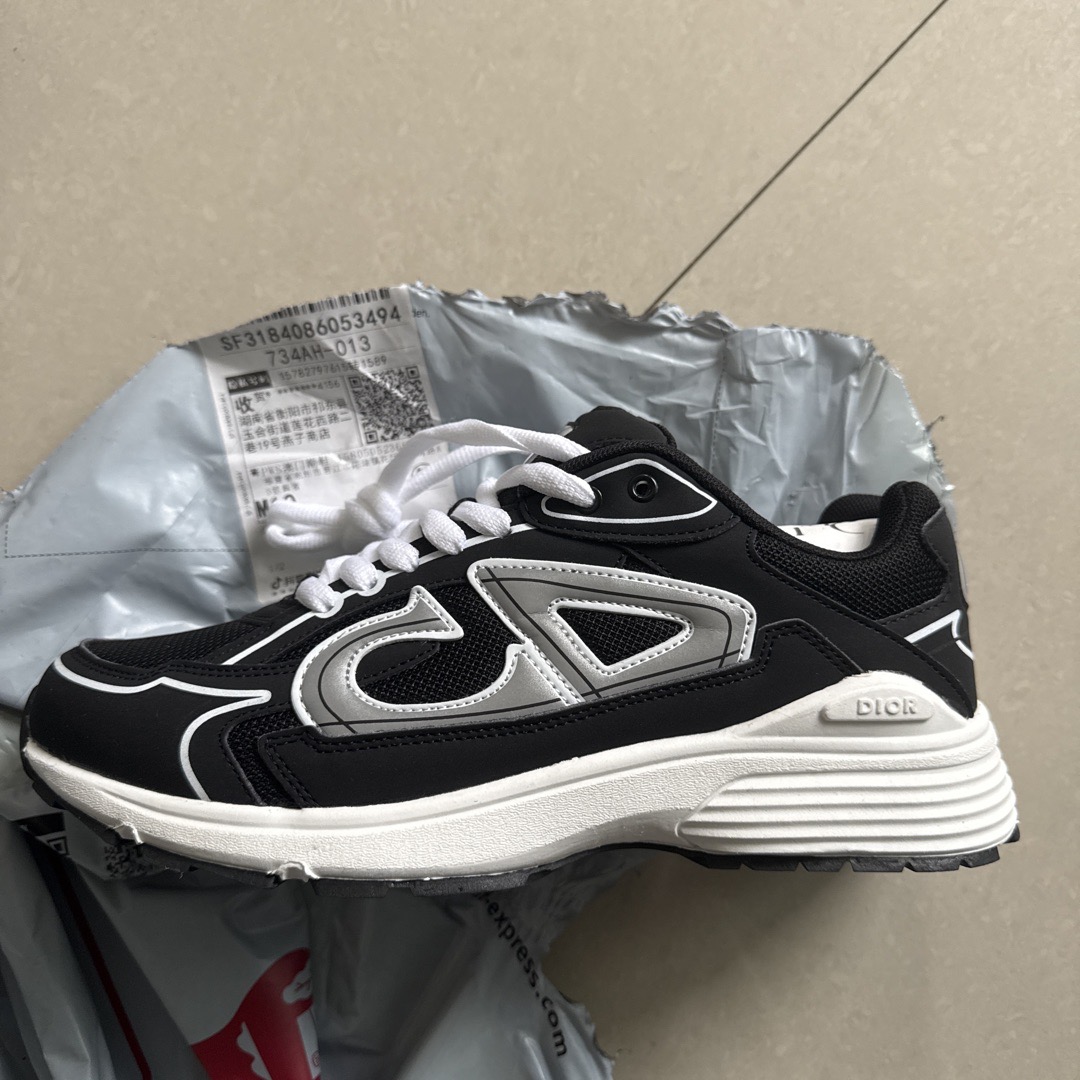
Task: These are brand-name sneakers gifted to me by a friend. Acting as a senior luxury sneaker authenticator, please search for detailed craftsmanship images of the authentic product for comparison. Clearly determine whether these shoes are Real or Fake, and list at least two reasons for your judgment based on visual details.

Input Images

Sneaker photo 1 Sneaker photo 2 Sneaker photo 3 Sneaker photo 4
Ground Truth: Counterfeit.
Basis for judgment (any two answers are acceptable): 1. Widow's Peak Error   2. Poor Tongue Font & Stitching   3. Misaligned 3M Stripes

Tool Trajectory

Step 1
web_search
Thought: Initiating Authentication Analysis. Okay, I'm starting with a deep dive into the Dior sneaker images. My primary goal is to nail down the precise model. Once I have that, I can cross-reference with known authentication sources and guides.
Action: web_search({query: 'Dior B30 black sneaker authentic vs fake guide'})
Observation: Search results for 'Dior B30 black sneaker authentic vs fake guide': 1. [How to spot fake Dior B 30 sneakers...]...
Step 2
image_search
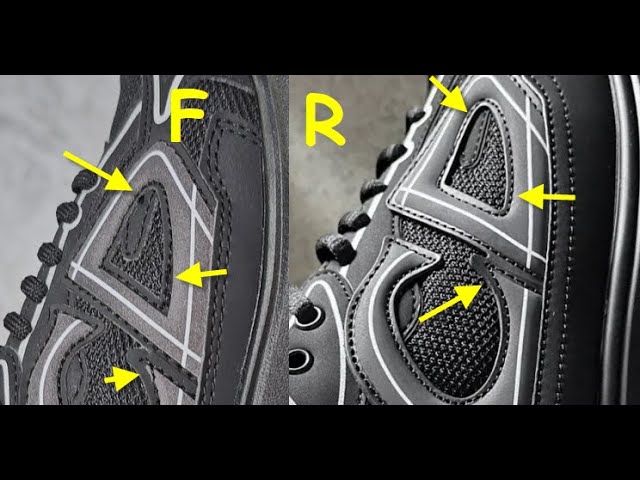
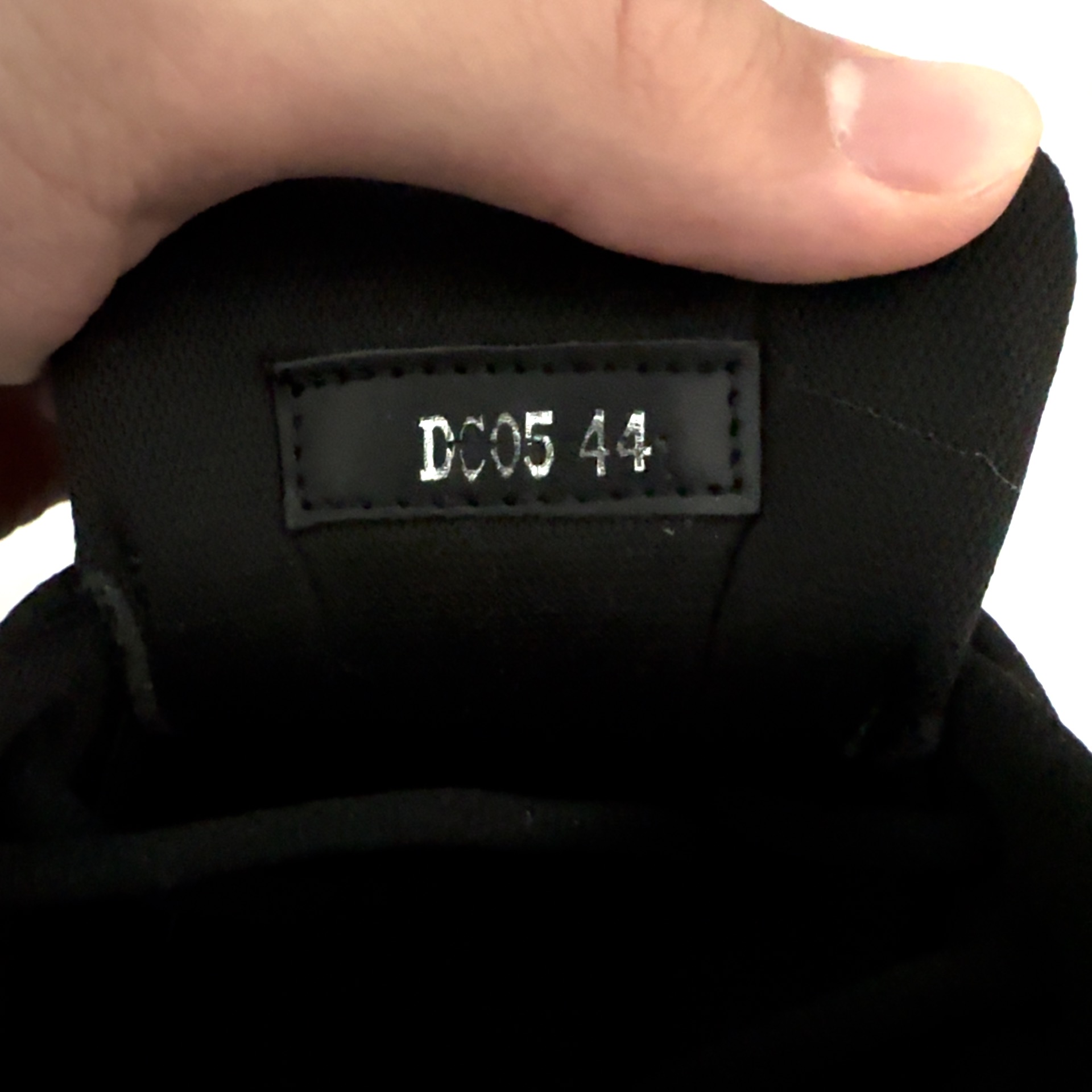
Thought: Analyzing Visual Attributes. I'm now prioritizing visual comparisons. The general advice wasn't sufficient. My plan is to search and gather images of key areas: the black tongue tag, heel, insole.
Action: image_search({query: 'authentic Dior B30 black sneaker tongue tag', search_type: 'text'})
Observation:
Ref 1 Ref 2 Ref 3 Ref 4 Ref 5
Step 3
image_search
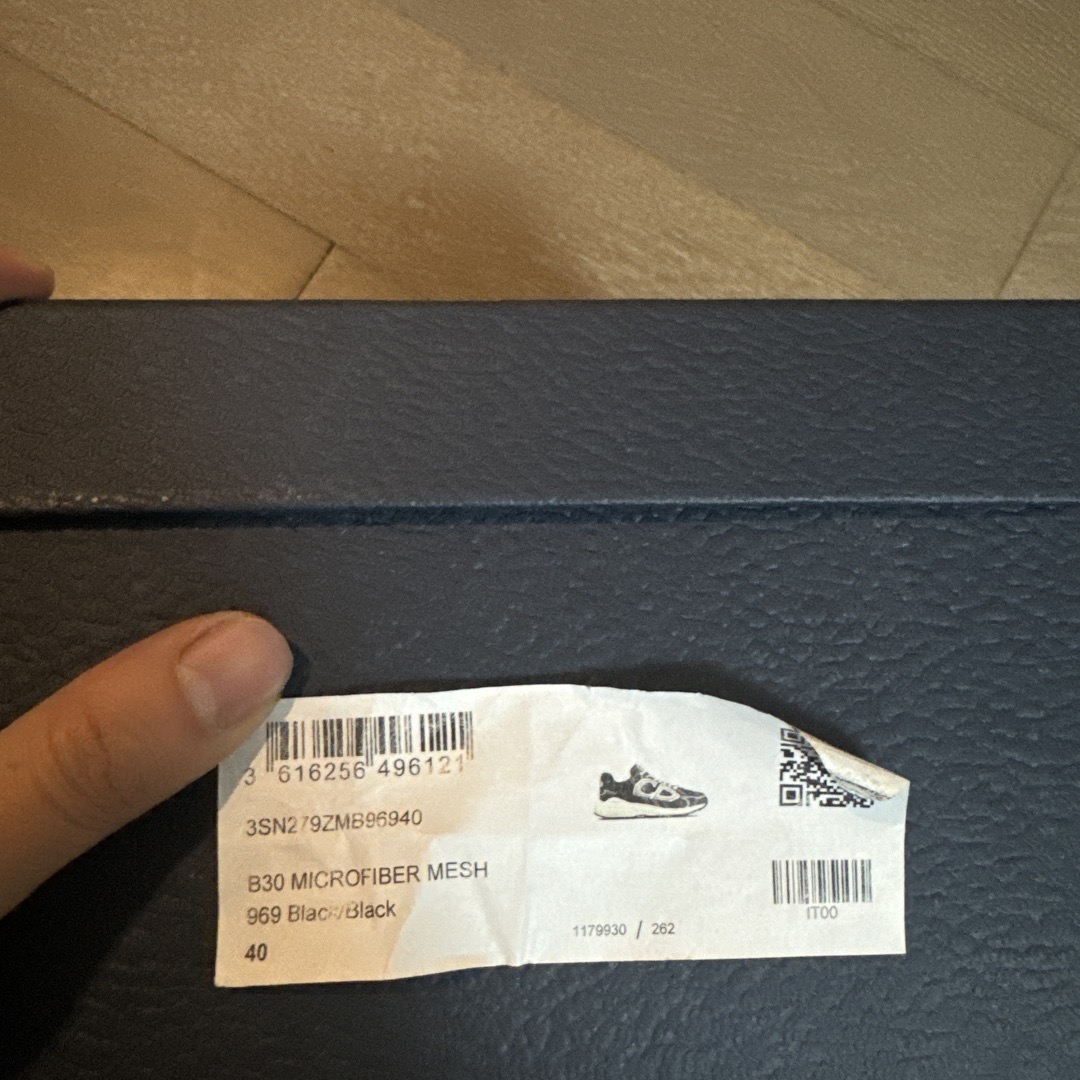
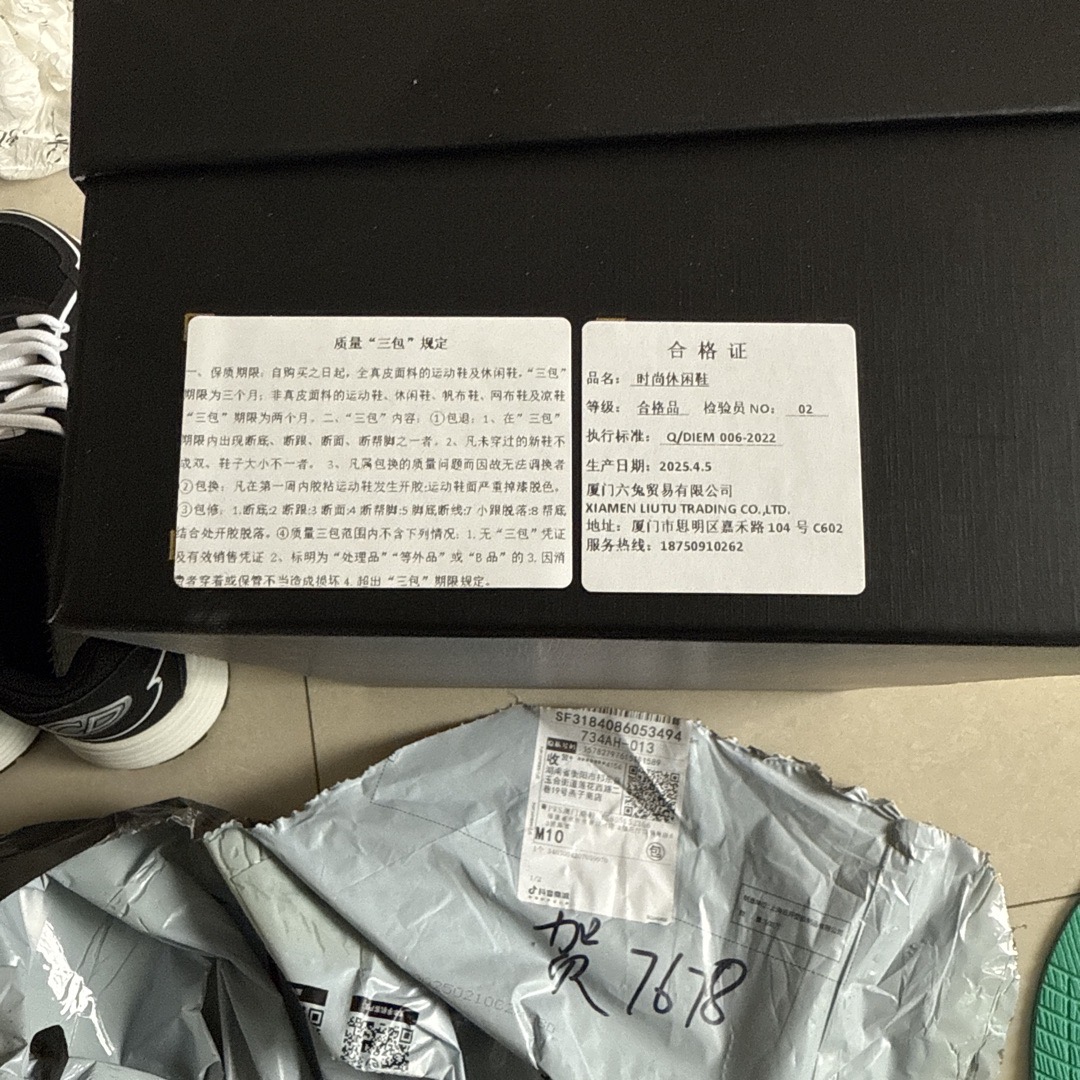
Thought: Analyzing Key Details. I'm focused on the comparison images, especially the tongue tag and size tag. I've noted a white sticker in image 4 with "A8513 42." Now, I'm specifically searching if authentic pairs have this.
Action: image_search({query: 'authentic Dior B30 sneaker inside size tag label', search_type: 'text'})
Observation:
Label ref 1 Label ref 2 Label ref 3 Label ref 4 Label ref 5
Step 4
web_search
Thought: Analyzing the Dior B30. I've been diving into the Poizon guides... My focus now is on authenticating Dior B30s. The size code, often stamped inside, is a key mark.
Action: web_search({query: 'Dior B30 sneaker "A8513" sticker'})
Observation: No results found for query: 'Dior B30 sneaker "A8513" sticker'
Step 5
web_search
Thought: Analyzing Tag Characteristics. I'm now focusing on the tongue tag... I've noted the oval shape and the "DIOR" over "B30" layout. My main task right now is the font comparison.
Action: web_search({query: 'Dior B30 authentic inner size code format'})
Observation: Search results for 'Dior B30 authentic inner size code format': 1. [How to Legit Check: B30 Dior Sneakers (2025) - POIZON]...
Step 6
image_search
Thought: Verifying Authenticity Labels. I've homed in on label verification... The Poizon guide highlights the critical role of a correct style ID (3SN279ZLZ_H860).
Action: image_search({search_type: 'text', query: 'fake Dior B30 size sticker A8513'})
Observation:
Fake ref 1 Fake ref 2 Fake ref 3
Step 7
web_search
Thought: Analyzing Authenticity Indicators. I've been examining the search results; although no direct match for "A8513" surfaced, they highlight that genuine items boast proper labeling.
Action: web_search({query: 'sneaker replica code "A8513"'})
Observation: Search results for 'sneaker replica code "A8513"': 1. [Fashion Design and Merchandising...]...
Final Answer: Analyzing the Code Structure. I've confirmed this code format isn't a known counterfeit of a famous batch, but it's also not the genuine Dior style, which uses the "3SN..." format.

I am currently revisiting the heel logo... The white sticker "A8513 42" is a dead giveaway — luxury brands don't use such generic identifiers.

The sneakers are fake. ✓ Correct
Success Gemini-3-Pro · 7 tool calls
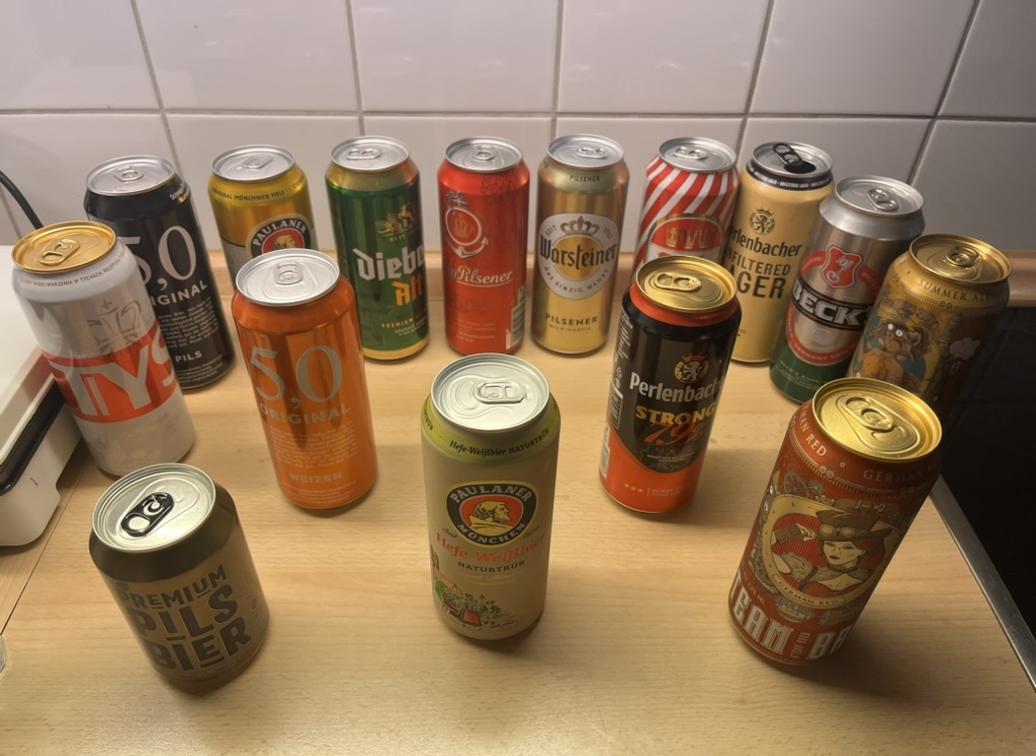
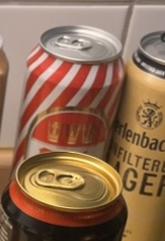
Task: This photo shows the beer cans I collected during my recent trip to Europe. I want to find the strongest German beer in this collection for a tasting event. Among all the displayed German-brewed beers with an alcohol content exceeding 5% ABV, which specific beer brand has the highest total alcohol content per can (taking into account both the alcohol by volume percentage and the can capacity)?

Input Image

Beer cans
Ground Truth: Perlenbacher Strong and Steam Brew German Red (tied).

Tool Trajectory

Step 1
code_interpreter
Thought: Defining "Strongest" Beer

I've clarified the user's implicit definition of "strongest". It's not about subjective taste, perceived quality, or even bitterness. It's about...

...I'm factoring in the potential for higher alcohol content in smaller cans, though these look like standard 500ml tallboys. Python will help verify labels.
Action: code_interpreter called with:
from PIL import Image
import matplotlib.pyplot as plt
# Display the image to have a look
plt.imshow(original_image)
plt.axis('off')
plt.show()
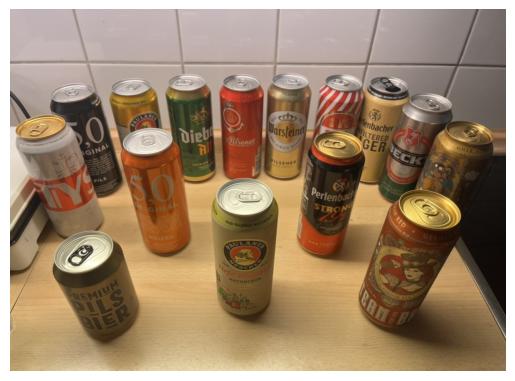
Observation:
Zoomed beer image
Step 2
web_search
Thought: [Calling tools: web_search]
Action: web_search({query: 'Perlenbacher Strong ABV\nSteam Brew German Red ABV\nSteam Brew varieties cans\nRed can Pilsener Germany shield logo\nRed and white striped beer can Germany'})
Observation: Search results for 'Perlenbacher Strong ABV...': 1. [Perlenbacher German pilsner, single can | Lidl US]...
Step 3
code_interpreter
Thought: Analyzing Beer ABV Data

I've compiled some ABV data, noting Steam Brew German Red and Perlenbacher Strong both clock in at 7.9%. I'm currently looking into Steam Brew varieties to establish if the ABV numbers are accurate across different beers. My aim is to broaden the ABV numbers, for greater analysis.

Pinpointing Steam Brew Can

I've determined the gold/bronze Steam Brew can on the right features a steampunk character, with goggles. It seems I may have been mistaken in assuming this could be the Imperial IPA with the goggles and character. I'm focusing on those specific visual cues now to narrow it down, along with the ABV numbers. I still need to identify the other cans, and I'll keep checking the images, with that in mind.
Action: code_interpreter called with:
# Crop and save images... (Code omitted for brevity)
# ...
plt.show()
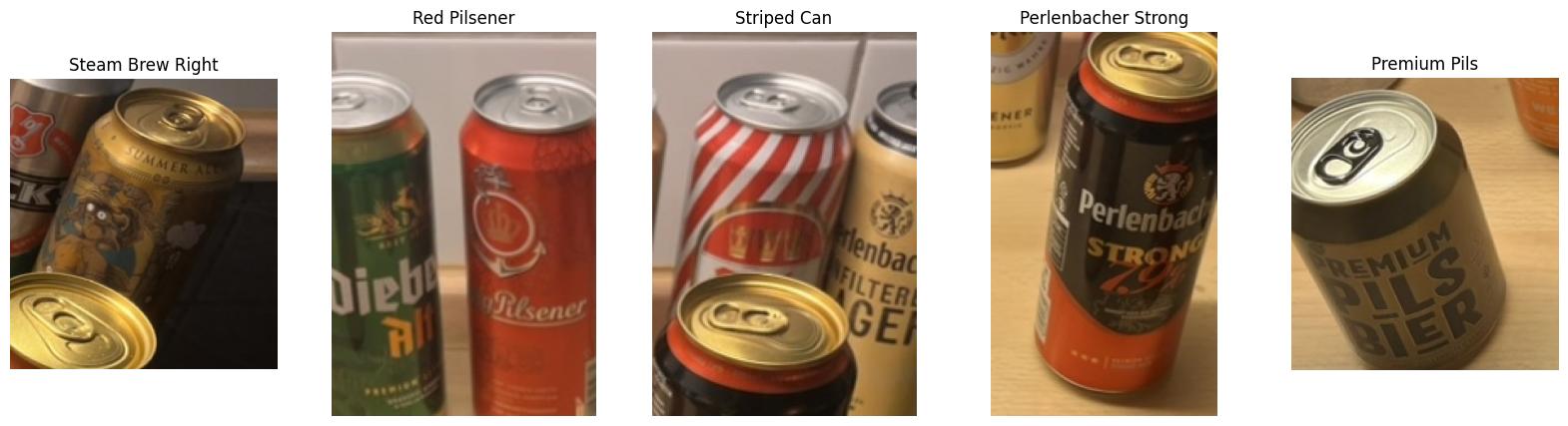
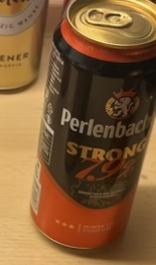
Observation:
Can 1 Can 2 Can 3 Can 4 Can 5 Can 6
Step 4
web_search
Thought: Considering Crop Impact

I'm now focusing on how crops are beneficial. I've got an idea brewing, centered on a "Steam Brew Summer Ale," featuring a character (maybe a monkey?) with goggles. I'm searching for information regarding the "Steam Brew Summer Ale ABV". It looks promising so far.

Exploring Beer Logos

I'm now diving into visual cues. I've got a "Red Pilsener" with a crown logo to explore further, possibly branded "Felsgold" or something similar. Then there's a striped can — "Karlskrone" maybe? — which could be a Radler mix. I've also confirmed that "Perlenbacher Strong" is 7.9% ABV, which is important to remember. I'm moving on to other brands as well.
Action: web_search({query: 'Steam Brew Summer Ale ABV\nRed can Pilsener crown anchor logo Germany\nRed and white diagonal striped beer can Germany\nKarlskrone striped can\nAdelskronen Pilsener red can\nPerlenbacher Strong ABV'})
Observation: Search results for 'Steam Brew Summer Ale ABV...': 1. [Home | Steam-Brew | German Craft Beer Resistance]...
Step 5
web_search
Thought: Pinpointing ABV & Styles

I'm currently sorting through search results. While I have the ABV for a Steam Brew Imperial Stout (7.5%), the Summer Ale remains elusive. I'm also now shifting focus to identify the Red Pilsener...

After some searching, I'm leaning toward Königsbacher. For the striped can, I'm considering Karlskrone or Perlenbacher Radler, which are common Aldi and Lidl brands respectively, or a "Mixery" style. If Radler, it's around 2.5%; if "Mixery" more like 2.5–5%. I'm trying to identify the highest ABV brews in the lineup.
Action: web_search({query: 'Steam Brew Summer Ale ABV\n"Steam Brew" Summer Ale alcohol content\n"Red can" Pilsener crown anchor logo\nbrand of red beer can with crown and anchor logo\n"5,0 Original" highest ABV beer'})
Observation: No results found for query...
Step 6
image_search
Thought: Refining The Search

I'm initially getting no results, so I'm simplifying the search terms. I'm focusing on "Steam Brew Summer Ale" and "Red beer can crown anchor logo" separately now. Furthermore, I've noticed a partial text detail on the red can, potentially ending in "rg".
Action: image_search({search_type: 'reverse', image_url: 'new_output/...'})
Observation:
Red can crop
Step 7
web_search
Thought: Refining Search Queries

I'm hitting a wall with reverse image search...

Verifying Volume Details

I'm now certain that Steam Brew generally comes in 500ml cans, which is typical for German beers, although there could be exceptions. I'm also confirming that both Steam Brew and Perlenbacher are Lidl brands, often brewed by Eichbaum. My focus shifts to verifying the ABV of "Steam Brew German Red," and to ensure that Perlenbacher Strong is also the 7.9% I expect.
Action: web_search({query: 'Steam Brew German Red ABV exact\nSteam Brew Summer Ale ABV\nPerlenbacher Strong ABV\nIs Steam Brew German Red 7.9%?\n"Steam Brew" varieties list ABV'})
Observation: Search results for 'Steam Brew German Red ABV exact...': 1. [Steam Brew German Red | Privatbrauerei Eichbaum]...
Final Answer: Calculating Alcohol Content

I've determined that both Steam Brew German Red and Perlenbacher Strong contain 39.5 ml of alcohol each, as 7.9% of a 500ml can. Now, I'm checking for any additional contenders...

I'm now certain, after reviewing many different options, that the answer remains Steam Brew German Red and Perlenbacher Strong, both at 7.9% ABV. I've re-examined the can sizes and confirmed they are both the standard 500ml. ✓ Correct
Tool Execution Failure Gemini-3-Pro · 3 tool calls
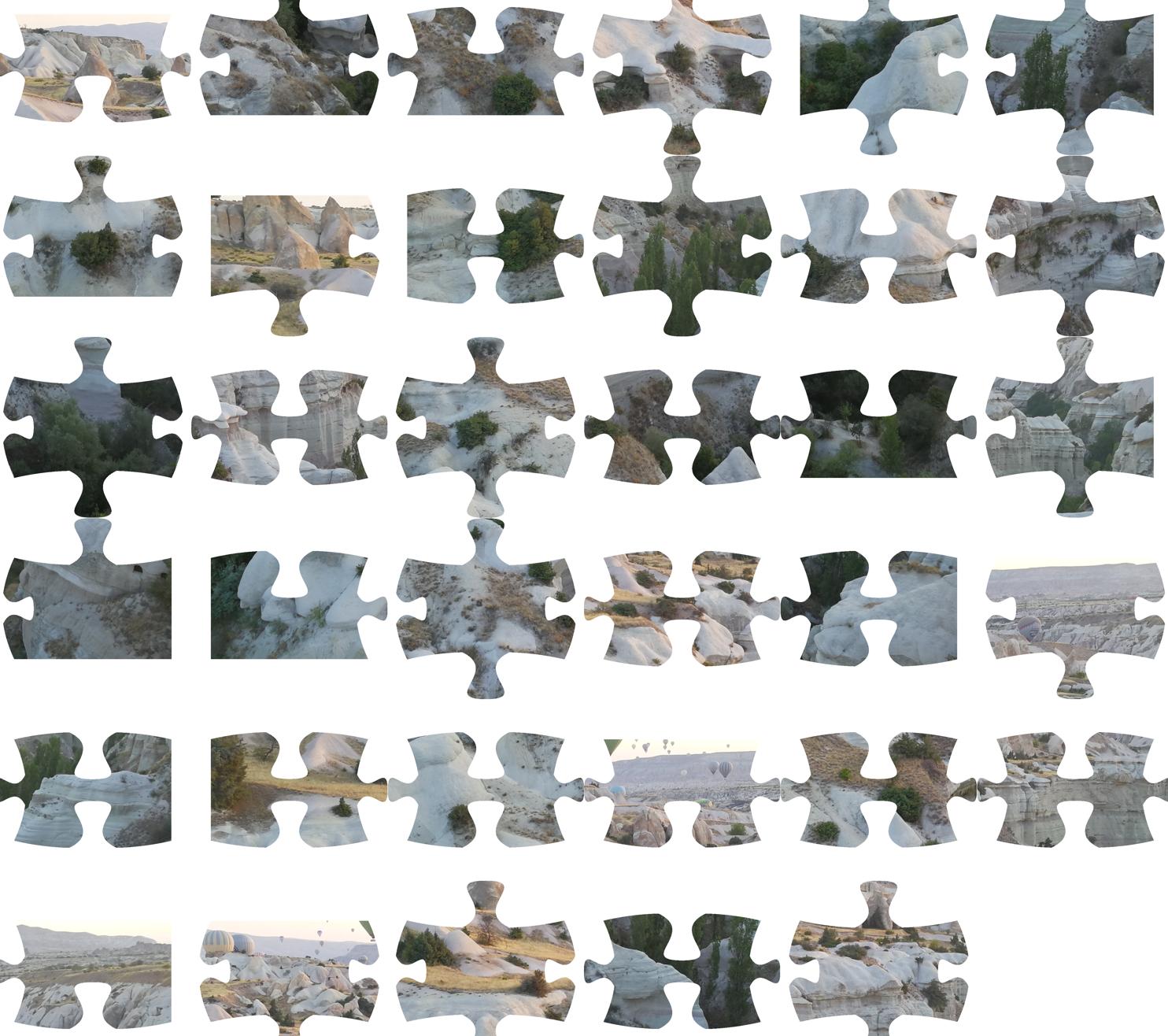
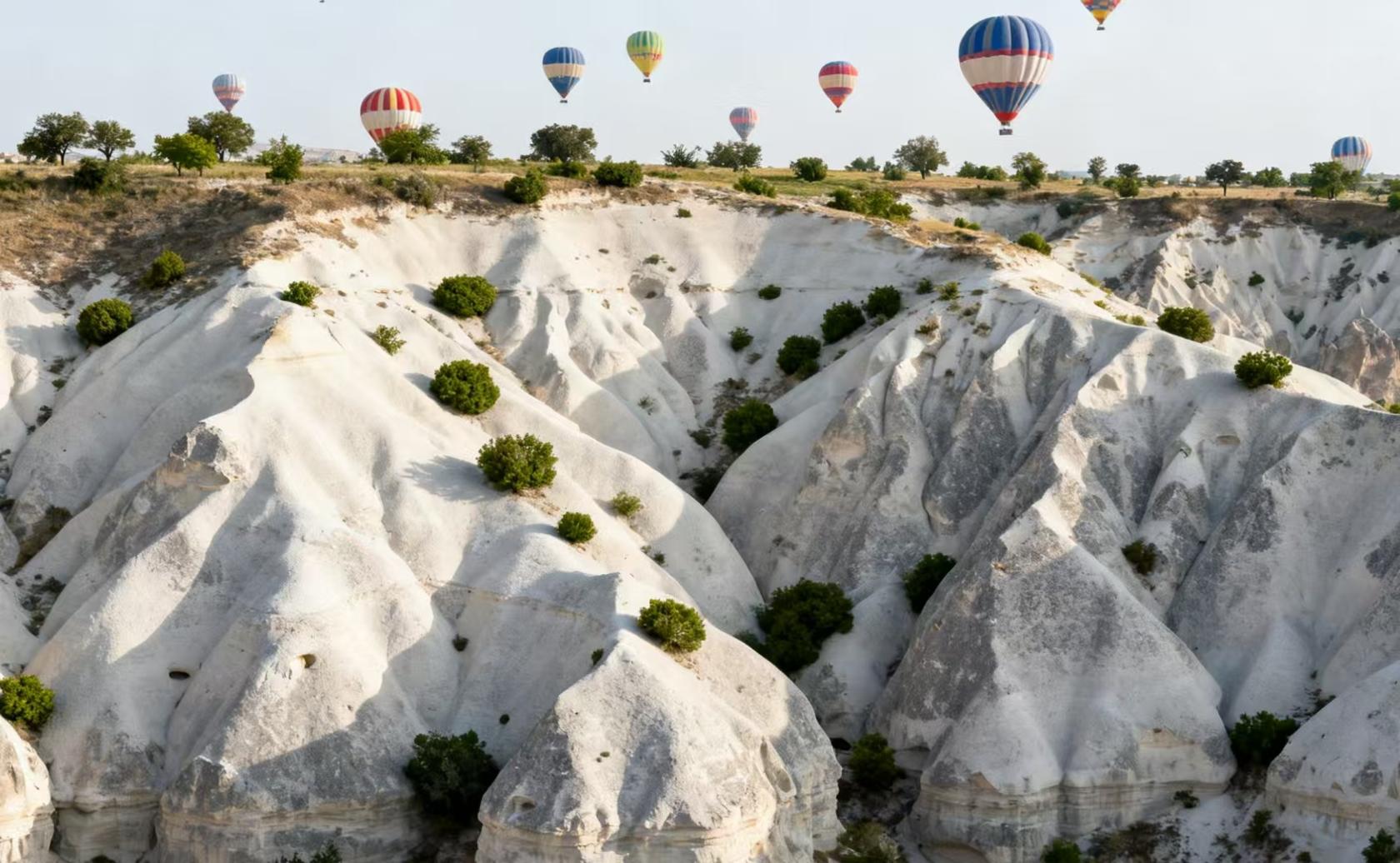
Task: The first image is a 6×6 jigsaw puzzle made from a photo of karst landforms, with one piece removed. The second image is a local reference landscape photo. Your task is to reconstruct the puzzle and then tell me the position of the missing piece in the original image. You may establish coordinate systems for both the original image and the input image. The piece in the top-left corner is (1, 1), the top-right corner is (1, 6), and the bottom-right corner (the corresponding position in the image to be reconstructed is empty) has the coordinates (6, 6).

Input Images

Jigsaw puzzle Reference landscape
Ground Truth: (3, 1)

Tool Trajectory

Step 1
code_interpreter
Thought: Considering the Jigsaw Puzzle

I'm currently focused on analyzing the jigsaw puzzle problem. My primary task involves thoroughly examining the provided image, which consists of 35 puzzle pieces arranged in a grid-like configuration with the user noting the puzzle is 6x6 with one missing piece. I am working on how to efficiently approach the computational challenges to create an accurate solution.

Verifying the Grid Layout

I've confirmed the image's layout...

Comparing Reference Images

I'm now comparing the provided puzzle pieces against the "local reference" image. I've identified terrain and hot air balloons as key features. I'm focusing...

Planning the Reconstruction

I'm now outlining the puzzle reconstruction plan. I can use Python to analyze piece borders and match them. I'm considering both automated matching of image features (contours, textures) and a more visual approach. A Python script could extract pieces, analyze edge types and shapes, and attempt matching. The images are distinct, and extraction should be easy, but I will need to consider how to create a good matching algorithm. I will also use visual features like balloons or specific shapes to aid.
Action: code_interpreter called with:
import cv2
import numpy as np
import matplotlib.pyplot as plt
# Load the image
img = original_image
img_np = np.array(img)
# Convert to grayscale
gray = cv2.cvtColor(img_np, cv2.COLOR_RGB2GRAY)
# Threshold to get the pieces
# The background is white (255), pieces are darker.
ret, thresh = cv2.threshold(gray, 250, 255, cv2.THRESH_BINARY_INV)
# Find contours
contours, hierarchy = cv2.findContours(thresh,
cv2.RETR_EXTERNAL, cv2.CHAIN_APPROX_SIMPLE)
# Filter small contours (noise)
min_area = 1000
pieces = [c for c in contours if cv2.contourArea(c) > min_area]
# Sort pieces by position
#...
plt.axis('off')
plt.show()
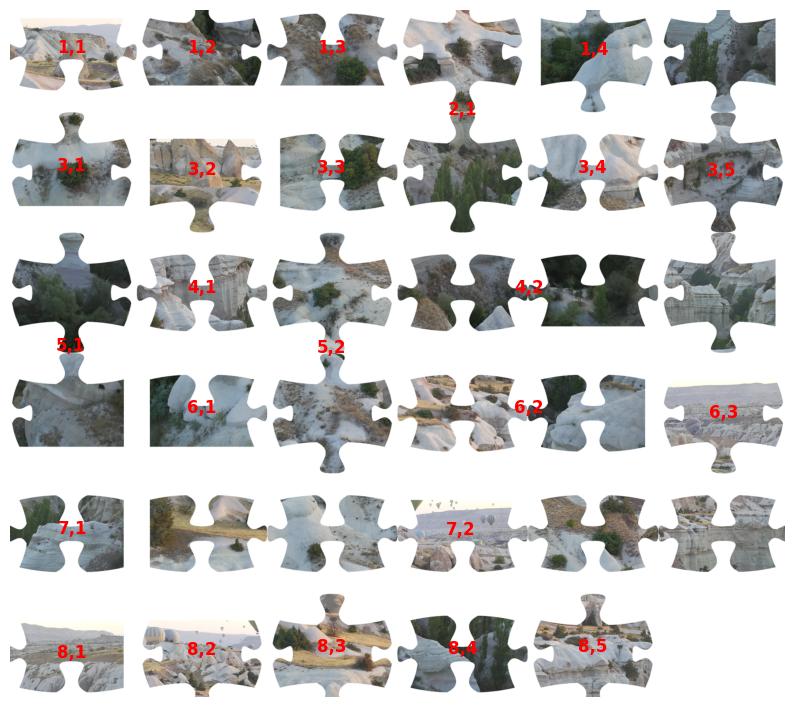
Observation:
Segmentation 1
Step 2
code_interpreter
Thought: Analyzing Segmentation Issues

I'm currently stuck on the segmentation. My algorithm is consistently under-segmenting the input, finding only 24 pieces when there should be 35. I've pinpointed that the proximity of pieces, particularly in vertical or horizontal alignments, is causing the mis-segmentation. I'm exploring methods to address this, such as adaptive thresholding or region growing to tease apart these touching objects.

Shifting to Manual Approach

I've abandoned the automated segmentation for now due to persistent merging issues. I'm focusing on a visual, grid-based approach. The source image is structured in rows, each containing 6 pieces except the last row which has 5. I will now analyze the pieces row by row, identifying piece types and mapping them to their positions in the 6x6 puzzle grid, as I determine each one's (Puzzle Row, Puzzle Column) coordinate. It seems there is one piece missing.
Action: code_interpreter called with:
import cv2
import numpy as np
import matplotlib.pyplot as plt
# Load image
img = original_image
img_np = np.array(img)
gray = cv2.cvtColor(img_np, cv2.COLOR_RGB2GRAY)
# Threshold: Background is white (255).
# Use a high threshold to catch all non-white pixels.
ret, thresh = cv2.threshold(gray, 250, 255, cv2.THRESH_BINARY_INV)
# Morphological opening to remove noise and separate slightly touching pieces
kernel = np.ones((3,3), np.uint8)
thresh_open = cv2.morphologyEx(thresh, cv2.MORPH_OPEN, kernel, iterations=2)
# Find contours
contours, _ = cv2.findContours(thresh_open, cv2.RETR_EXTERNAL, cv2.CHAIN_APPROX_SIMPLE)
# Filter by area
pieces = []
for c in contours:
    if cv2.contourArea(c) > 5000: # Adjust area threshold based on image size
        pieces.append(c)
#...
plt.axis('off')
plt.show()
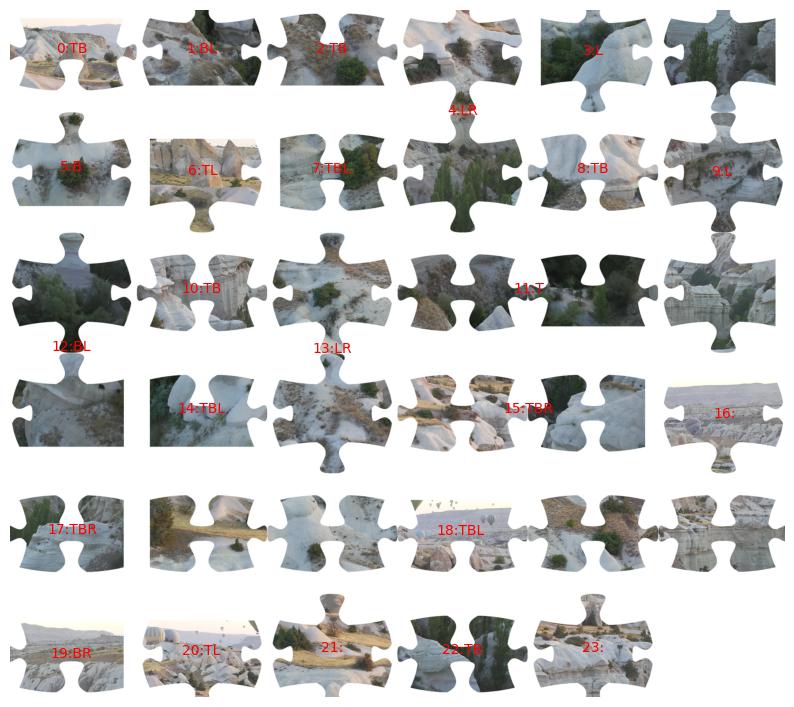
Observation: Still only extracts 24 regions instead of 35 pieces.
Segmentation 2
Step 3
code_interpreter
Thought: Extracting and Displaying Pieces

I'm starting the process to extract each puzzle piece and display them using Python. I will then analyze each extracted image. Also, I am planning to analyze the edges of each image to classify them. I'm hoping to use this data to determine the grid structure.
Action: code_interpreter called with:
import cv2
import numpy as np
import matplotlib.pyplot as plt
# ...
# We have 35 pieces. Let's display them in a 6x6 grid format (last one empty)
# But we only found 24 pieces in the previous step. Let's proceed with what we have.
# Actually, I need to fix the segmentation first,
#but since I am shifting to manual analysis,
# I will just display the pieces found to confirm visual features.
# Let's display the pieces we found in a grid.
#...
plt.show()
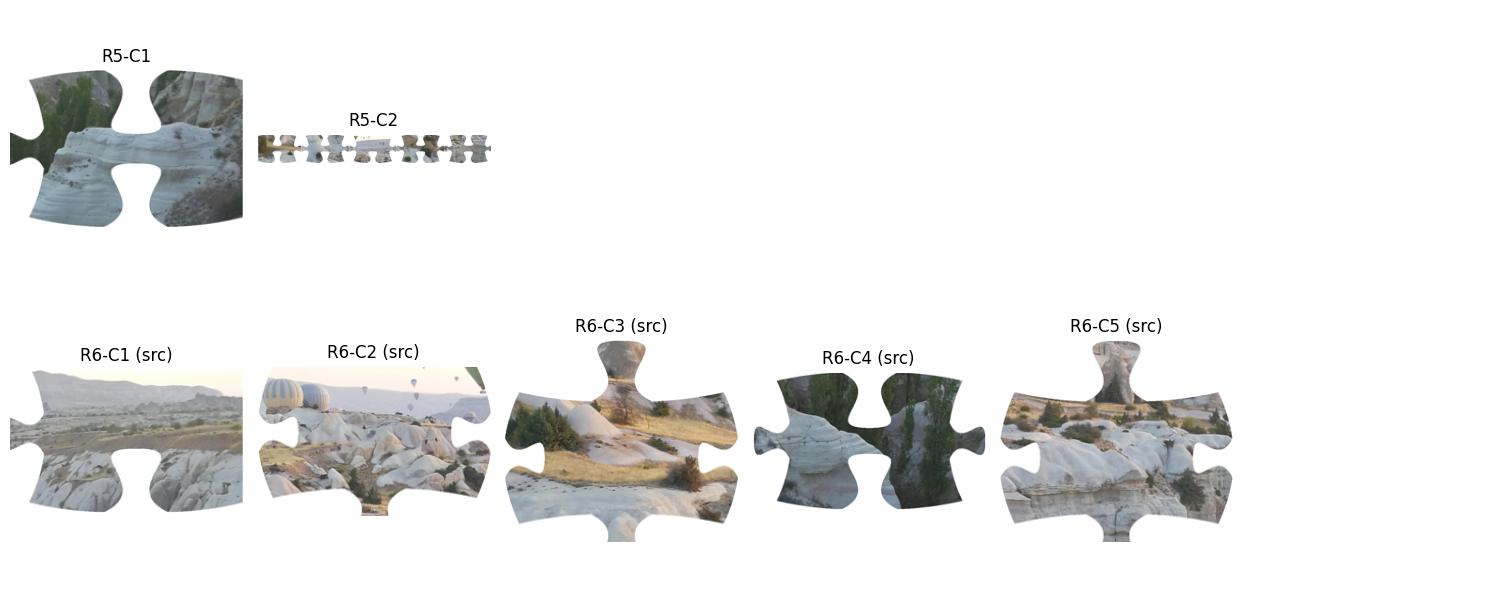
Observation: Visualization confirms missing segments; reconstruction cannot proceed.
Extracted pieces
Final Answer: The model failed to correctly segment the puzzle pieces and perform the reconstruction. It identified only 24 pieces instead of the expected 35 (or 36 slots).

Due to the failure in the code_interpreter segmentation step, the model could not proceed to correctly identify the missing piece's coordinate. ✗ Failed
Visual Misidentification Gemini-3-Pro · 13 tool calls
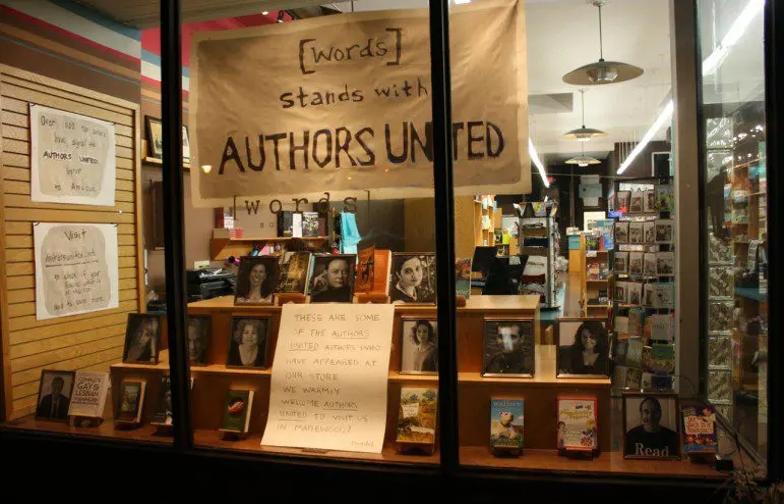
Task: This photo shows the window display of a bookstore that supports the "Authors United". The display features photos of several authors who have appeared at this bookstore. Among all the authors whose photos are clearly visible in this window display, which one has had their works stay on The New York Times Bestseller List for the most total weeks during the years when the "Authors United" movement was most active? And how many weeks was that? What is the corresponding work?

Input Image

Bookstore window
Ground Truth: Donna Tartt, The Goldfinch, 39 weeks.

Tool Trajectory

Step 1
web_search
Thought: Identifying the Author

Okay, I'm working on pinpointing that author. I know the bookstore window showcases authors from "Authors United." It seems photos are used. I need to gather info and compare the window display photos to the authors listed.

Analyzing the Bookstore

I've got the bookstore identification underway. The signs are key...

Pinpointing the Task's Core

I've homed in on the task's core: identifying the author, their work, and the total weeks it remained. It seems the query is centered on a single work with the most weeks. The bookstore's sign, "Words bookstore Maplewood Authors United," helps with narrowing down authors. I've noted author photos, including book covers. Now, I need to match the photos to the author data.
Action: web_search({query: '"words" bookstore Maplewood Authors United window display'})
Observation: Search results for '"words" bookstore Maplewood Authors United window display': 1. [Words Display Supports 'Authors United' - The Village Green]...
Step 2
visit
Thought: Pinpointing Key Details

I've confirmed the bookstore is "[words] Bookstore" in Maplewood, NJ. My next step is to examine the article, "[Words Display Supports 'Authors United' - The Village Green]". I suspect it contains crucial information, perhaps a list of authors or helpful photos. The "Authors United" movement, active circa 2014, is also relevant, considering the timing of the bookstore activity.
Action: visit({goal: 'Identify the authors featured in the window display of [words] Bookstore supporting Authors United.', url: 'https://villagegreennj.com/business/words-display-supports-authors-united/'})
Observation: The useful information in https://villagegreennj.com... for user goal... as follows: Evidence in page: Now, the Words window display is supporting Authors United...
Step 3
code_interpreter
Thought: Identifying Key Authors ...
Action: code_interpreter called with:
import easyocr
result = reader.readtext(np.array(original_image))
Observation: stdout: Text: Words], Prob: 0.35... Text: stands with, Prob: 0.98...
Step 4
code_interpreter
Thought: Seeking Author Identification ...
Action: code_interpreter called with:
from PIL import Image
# Define crop regions based on visual estimation...

Observation: Produces 10 crops of individual author photos/book covers from the window display.
Crop 1 Crop 2 Crop 3 Crop 4 Crop 5 Crop 6 Crop 7 Crop 8 Crop 9 Crop 10
Step 5
image_search
Thought: [Calling tools: image_search]
Action: image_search({query: 'man with Read shirt author photo', search_type: 'reverse', image_url: '.../tool_image_2.jpg'})
Observation: Image: N/A, Text: No title...
Step 6
web_search
Thought: Refining The Search

I'm now focusing on the text within the image, specifically the word "Read" on the shirt. My previous attempt, reversing the image, didn't yield much, likely due to image quality. I'm hypothesizing that this shirt is a common design, potentially related to the American Library Association. I'm moving toward text-based search terms.
Action: web_search({query: 'Words Bookstore Maplewood Authors United window display authors list'})
Observation: Search results... 1. [[words] Bookstore]... 2. [Image of the Day...]
Step 7
web_search
Thought: Identifying Author Appearances ...

I must pinpoint the winner from the photo.
Action: web_search({query: '"Anthony Doerr" "Words Bookstore" Maplewood'})
Observation: Search results... 1. [Publishers Weekly...]...
Step 8
visit
Thought: Connecting the Dots

I've made some progress linking Anthony Doerr to Words Bookstore, and it appears he's a bestselling author. I also have the publication date of "All the Light We Cannot See" as May 2014, and have linked that date to Authors United. I am now looking to determine if there is any significance to this timeline...
I'm also searching on Daniel Wallace and David Foster Wallace.
Action: visit({goal: 'Get the list of authors...', url: 'https://www.shelf-awareness.com/theshelf/2014-10-06...'})
Observation: The useful information... The newest front window display at [words] Bookstore...
Step 9
image_search
Thought: Identify the Crops

I'm currently trying to identify the crops...
Action: image_search({query: 'author Read poster', image_url: '.../tool_image_10.jpg', search_type: 'reverse'})
Observation:
Crop 10 reused
Step 10
web_search
Thought: Identifying Potential Authors

I hit a dead end with the reverse search. Now, I'm switching gears. My current approach involves...

Now, I'm checking into Donna Tartt. I now see she is published by Hachette, which makes her a compelling candidate.
Action: web_search({query: 'author Read poster list'})
Observation: Search results... 1. [ALA Read Posters]...
Step 11
web_search
Thought: Considering Potential Reads ...

Confirming Bestseller Data ...
Action: web_search({query: 'Did Donna Tartt appear at Words Bookstore Maplewood?'})
Observation: Search results... 1. [Events - Words Bookstore]...
Step 12
web_search
Thought: Analyzing Book Persistence ...
Action: web_search({query: 'Authors United members who appeared at Words Bookstore Maplewood list'})
Observation: Search results... 1. [Words Display Supports 'Authors United'...]...
Step 13
web_search
Thought: ...I've synthesized all the information. The bookstore is Words. The display is for Authors United. The authors featured include Anthony Doerr. His book All the Light We Cannot See was a massive bestseller during the relevant period (2014–2015) and stayed on the list for a very long time (80+ weeks). This fits the "most total weeks" criteria better than others like Tartt (approx 39 weeks). I'm confident in identifying Anthony Doerr.
Action: web_search({query: 'How many weeks was All the Light We Cannot See on NYT bestseller list 2014 2015?'})
Observation: Search results... 1. [All the Light We Cannot See - Wikipedia]... Spent more than 200 weeks on the list...
Final Answer: Verifying Poster Author. I'm now back to the "Read" poster, and I've looked at whether it is Paul Auster or Khaled Hosseini.

Considering that neither had an especially long-running bestseller that coincided with the timeframe, I'm sticking with my conclusion that Anthony Doerr, is the most relevant author, with All the Light We Cannot See the work, and the length of the run being approximately 84 weeks.

I have confirmed the data, I am confident in my response. ✗ Failed
Visual Misidentification Gemini-3-Pro · 11 tool calls
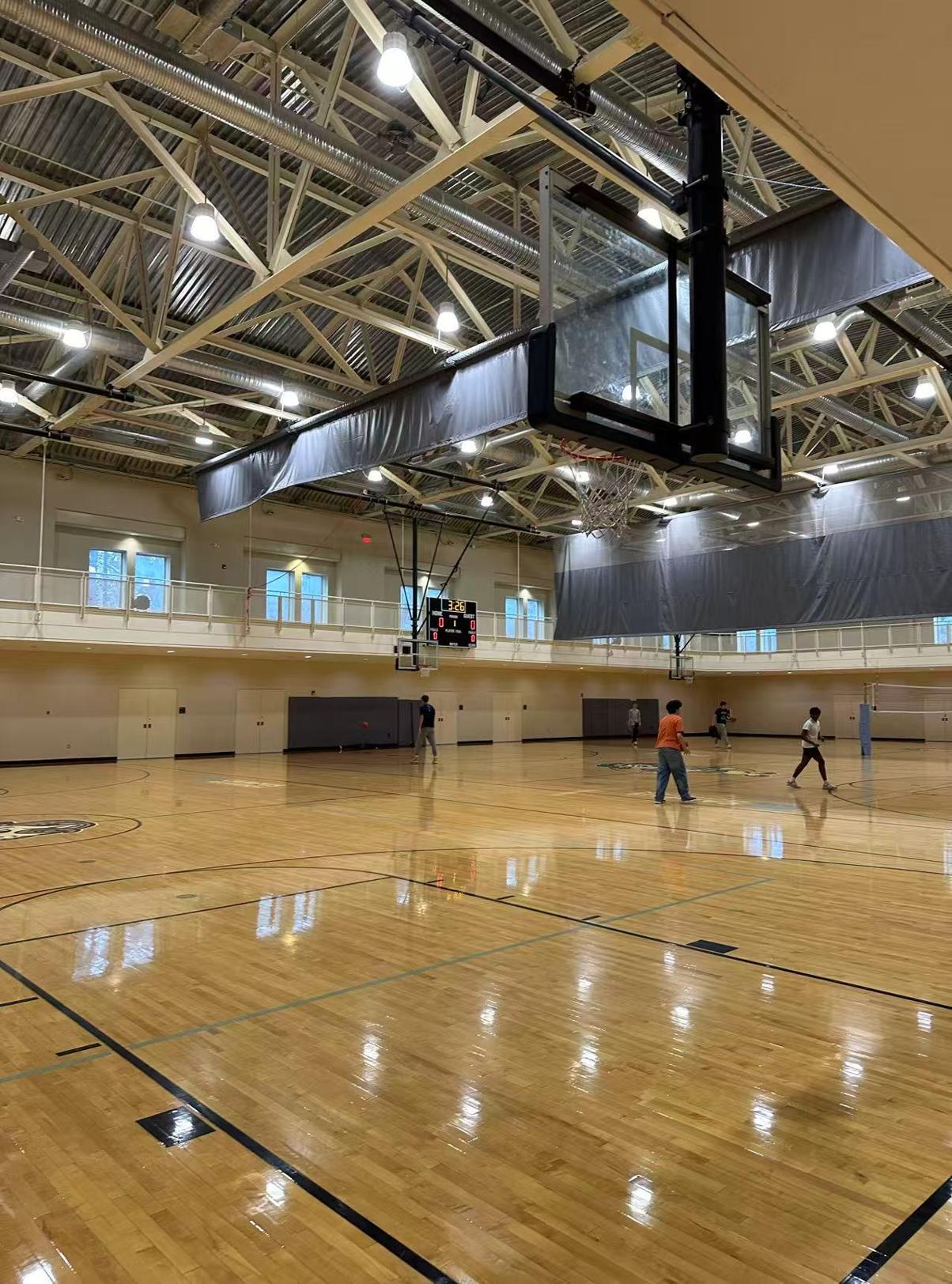
Task: My colleague just sent back this photo from a site visit but forgot to label the location in the report, referring to it only as 'Target Arena A.' To link the venue data such as seating capacity and fan distribution to the correct team in my database, I need to identify exactly which university is shown in this image.

Input Image

Arena photo
Ground Truth: UNC

Tool Trajectory

Step 1
code_interpreter
Thought: Identifying University Details

I'm focusing on identifying the university in the image, and am starting by examining key details. The open truss ceiling is a good starting point, and I'm trying to mentally catalog similar gymnasiums. The metallic color and general structure of the trusses are also good clues. I'll need to remember these aspects of the ceiling structure.

Analyzing Visual Components

I've zeroed in on the visual components, and now I'm making sure that I have all the key details. The digital scoreboard, basketball court markings, and the distinct logo on the floor are key. Cream walls, windows, grey curtains, and people playing basketball provide context. I'll focus on cropping the logo and using it for a reverse image search to figure out where I am.
Action: code_interpreter called with:
from PIL import Image
import matplotlib.pyplot as plt
# Load the original image
img = original_image
# Display the image to find coordinates for the logo
plt.imshow(img)
plt.show()
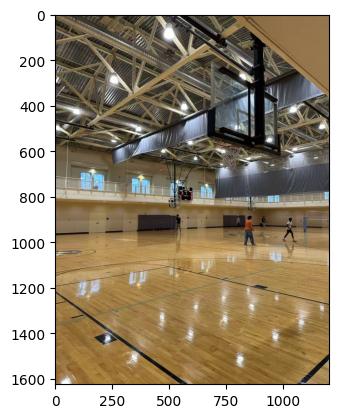
Observation:
Full arena view
Step 2
code_interpreter
Thought: [Calling tools: code_interpreter]
Action: code_interpreter called with:
# Crop the logo
logo_crop = img.crop((0, 950, 150, 1100))
# Crop the scoreboard
scoreboard_crop = img.crop((400, 400, 550, 550))
# Display crops
plt.figure()
plt.subplot(1, 2, 1)
plt.imshow(logo_crop)
# ...
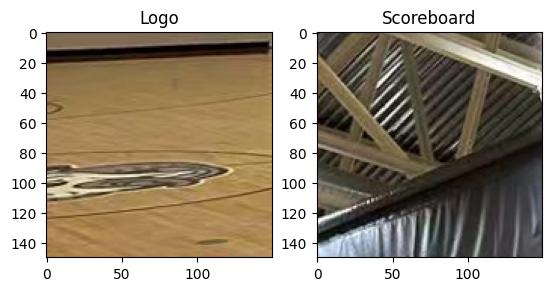
Observation:
Logo crop
Step 3
image_search
Thought: Analyzing the Image Elements

I've got a grasp of the visual elements. The logo crop, though imperfect, suggests an animal motif — possibly a paw or head, monochromatic. I'm focusing on the scoreboard, I botched the first crop. The rough coordinates are now pinpointed at approximately x=430, y=450.
Action: image_search({image_url: 'new_output/...original_image.jpg', search_type: 'reverse'})
Observation: No matches found for reverse image search of: new_output/api_google_gemini-3-pro-preview_mmagent_bmk_v6_new/mmagent_21/original_image.jpg
Step 4
code_interpreter
Thought: Analyzing the Unidentified Logo

Okay, so the reverse image search yielded nothing, which is interesting. It could be original or simply not indexed. I'm focusing on the logo now, and I'll re-crop it with more context if possible. The existing crop shows a paw or animal part, and that's the starting point.
Action: code_interpreter called with:
# Re-crop the logo with slightly better coordinates if possible,
# or just the same area but save it to search
logo_crop_2 = img.crop((0, 950, 180, 1100))
plt.imshow(logo_crop_2)
plt.show()
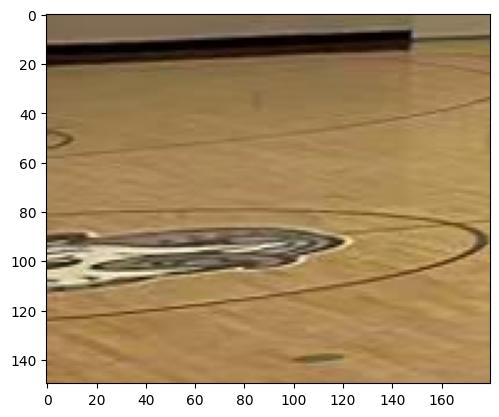
Observation:
Re-cropped logo
Step 5
image_search
Thought: [Calling tools: image_search]
Action: image_search({search_type: 'reverse', image_url: 'new_output/.../tool_image_3.jpg'})
Observation: No matches found for reverse image search of: new_output/api_google_gemini-3-pro-preview_mmagent_bmk_v6_new/mmagent_21/tool_image_3.jpg
Step 6
web_search
Thought: Refining Logo Search

I've hit a roadblock with the initial logo crop attempt; it seems the image is either too small or the logo's distorted. I'm pivoting to a descriptive approach. I'm focusing on "Bulldog logo basketball court," "Husky logo," or even "Wolf logo," all of which seem possible. The snout feature is a key element I'm considering. Now I'm focusing on the people in the image.
Action: web_search({query: 'university basketball gym with elevated running track and exposed truss ceiling'})
Observation: Search results for 'university basketball gym with elevated running track and exposed truss ceiling': 1. [The 25 Most Incredible College Basketball Arenas]...
Step 7
code_interpreter
Thought: Identifying the Venue

Okay, I've eliminated "The Barn" at U of Minnesota; that's clearly an arena, not a rec center like this. "Case Gym" at BU seems promising, based on the description, and "Lehman APEX" is another possibility. I'm going to re-examine the logo; it seems to be part of the floor design.

Refining the Search

I'm now focusing on identifying the animal depicted in the logo, leaning towards a Bulldog or Husky. I've re-cropped and rotated the image, and I'm searching using terms like "basketball court logo animal head profile grey." I'm also looking for similar ceiling types and banners, and I am exploring potential universities that fit the description, such as Butler, UConn, Northeastern, Yale, Gonzaga, and others.
Action: code_interpreter called with:
from PIL import ImageEnhance

# Enhance the logo crop
enhancer = ImageEnhance.Contrast(logo_crop_2)
logo_enhanced = enhancer.enhance(2.0)
enhancer = ImageEnhance.Sharpness(logo_enhanced)
# ...
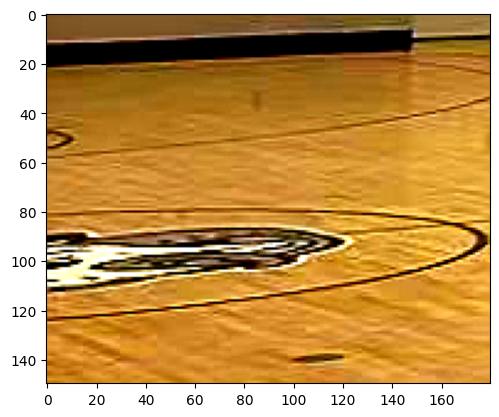
Observation:
Enhanced logo
Step 8
image_search
Thought: Identifying the Logo's Form

I've homed in on the logo's animal form — definitely an animal head. My mind is bouncing between Bulldog, Wolf, or Husky. I'm also seeing Black, White, and possibly Grey or Blue as the palette, though lighting makes it tricky. The shape appears elongated. I'm getting vibes of Bryant University's or Wofford Terriers' logos.
Action: image_search({image_url: 'new_output/.../tool_image_4.jpg', search_type: 'reverse'})
Observation: No matches found for reverse image search of: new_output/api_google_gemini-3-pro-preview_mmagent_bmk_v6_new/mmagent_21/tool_image_4.jpg
Step 9
image_search
Thought: Searching for Locations ...

Identifying Potential Arenas ...
Action: image_search({query: 'University of St. Thomas Anderson Athletic and Recreation Complex basketball court', search_type: 'text'})
Observation: Image: [URL] Text: Anderson Athletics and Recreation Complex (AARC) | University of ..., Webpage Url: [URL]...
Step 10
image_search
Thought: Comparing Visual Details

I've made a key discovery! The St. Thomas AARC images showcase a remarkably similar ceiling structure. I'm focusing on "aarc-basketball-court-with-player.jpg" particularly. We've got the white trusses, the silver ducts, and the windows. The track/balcony also appears to be comparable. I'm now examining the next visual.
Action: image_search({query: 'University of St. Thomas Schoenecker Arena interior', search_type: 'text'})
Observation: Image: [URL] Text: Facilities Schoenecker Arena - The University of St. Thomas, Webpage Url: [URL]...
Step 11
image_search
Thought: Confirming Venue Identity

I've got it! The images definitively place us at Schoenecker Arena, specifically the AARC, based on the ceiling architecture. The logo on the floor is clearly the St. Thomas Tommie head, a grey/purple cat-like logo. It's now clear where we are. I am reviewing the images.
Action: image_search({search_type: 'text', query: 'University of St. Thomas AARC field house basketball courts'})
Observation: Image: [URL] Text: Anderson Athletics and Recreation Complex (AARC) | University of ..., Webpage Url: [URL]...
Final Answer: ...I'm now certain the university is St. Thomas, specifically in Minnesota.

I've ruled out the Houston campus by verifying their Celt logo and contrasting the facility... ✗ Failed
Knowledge Hallucination Gemini-3-Pro · 6 tool calls
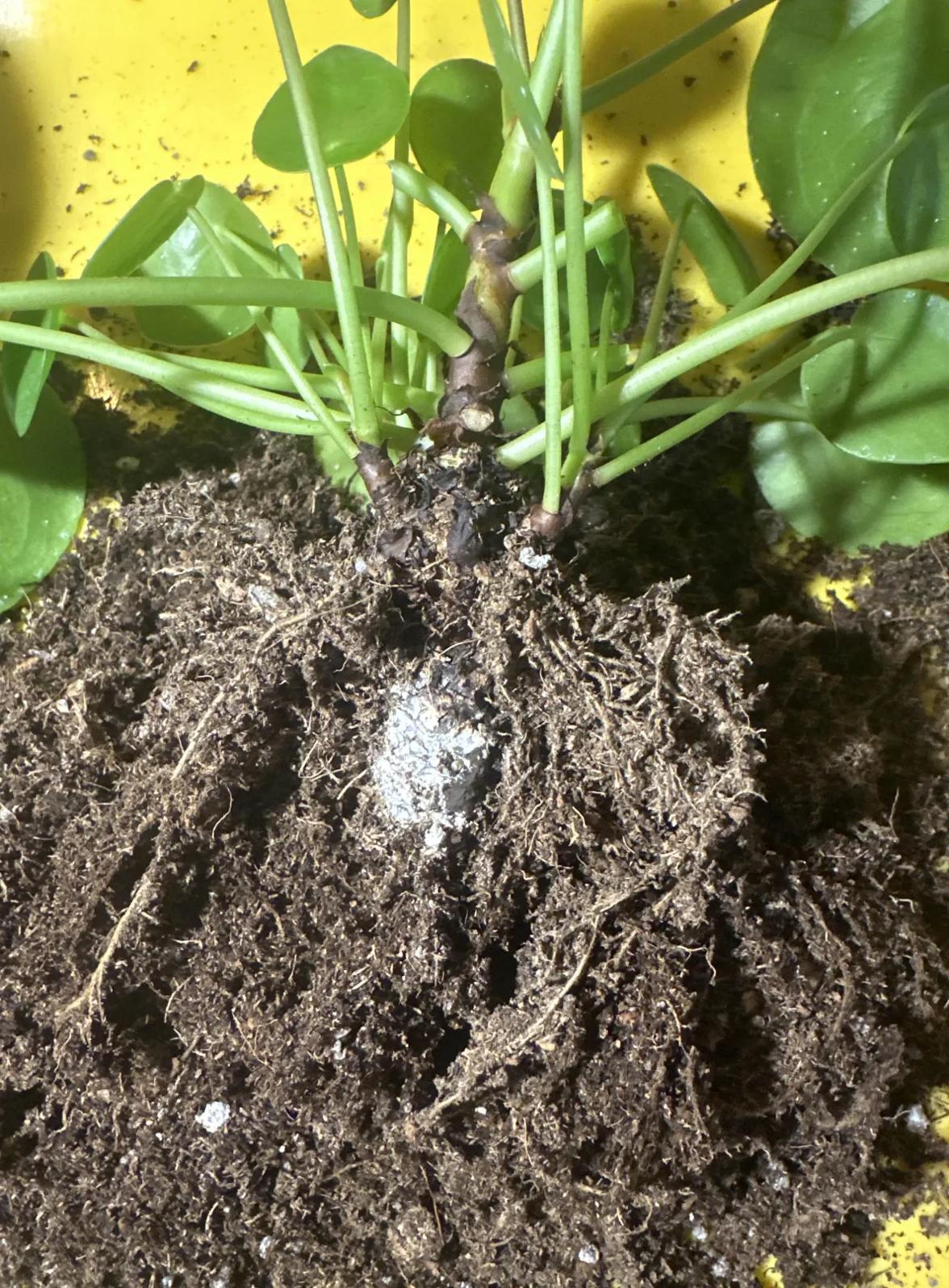
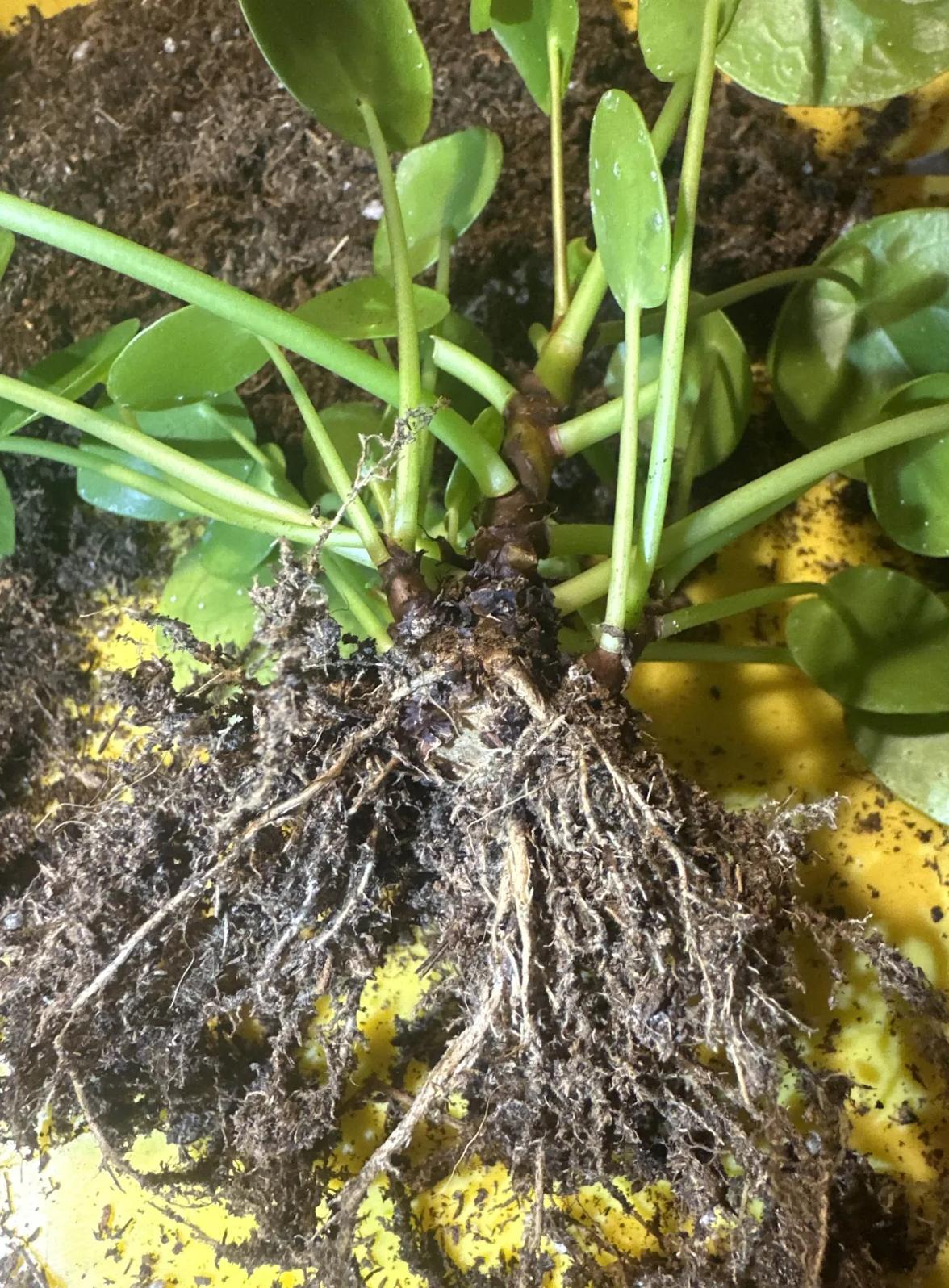
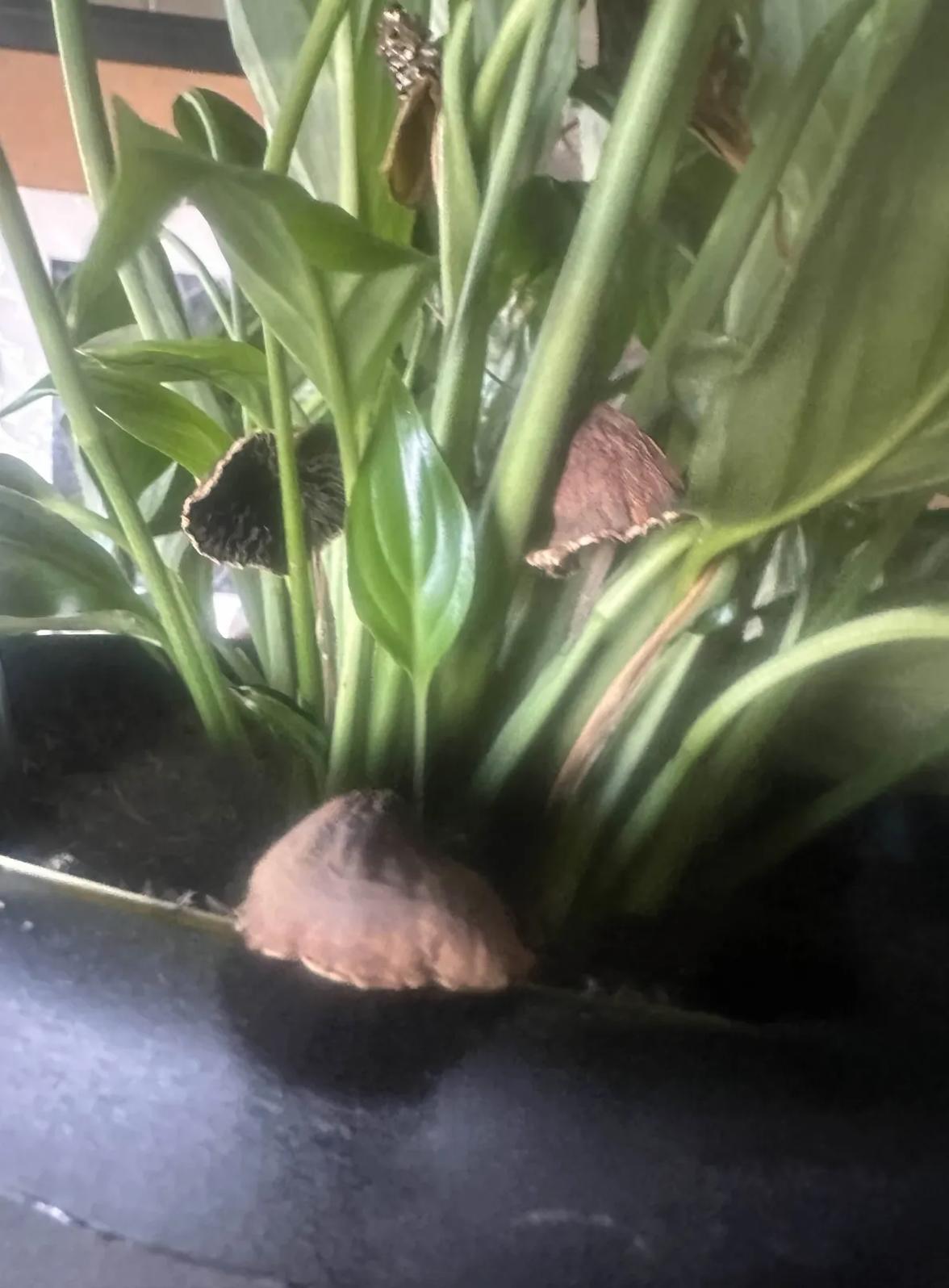
Task: I was repotting my Pilea and was shocked to find this large white mass at the base of the roots. I poked it with tweezers and found it is not soft or squishy at all. It did not burst; instead, it feels quite hard and crusty like a dried-up scab. For context, I accidentally overwatered this plant severely about two months ago. It lost several leaves but eventually stabilized. Based on the image and this history, what exactly is this substance and do I need to apply any pesticides?

Input Images

Pilea root 1 Pilea root 2 Pilea root 3
Ground Truth: No pesticide needed. This is calloused or crustified root rot residue from the previous overwatering incident.

Tool Trajectory

Step 1
web_search
Thought: Investigating Plant Root Mass

I'm currently focused on this intriguing white, hard mass discovered during the Pilea's repotting. My primary goal is to identify what this could be. I am considering several possibilities, the most likely of which relates to the potential for mineral build-up. I'm taking the texture, color, and location of the mass into account.

Analyzing the Texture

The substance is hard and crusty, not soft or squishy; it didn't break apart when poked, rather, it seems to be like a dried-up scab. My Pilea was severely overwatered two months ago. I'm wondering what this substance is and if I need pesticides.

Considering the Photos

I am now focusing on the first two images. My current hypothesis centers on the "large white mass" observed at the base of the Pilea's roots...
Action: web_search({query: 'pilea peperomioides white hard mass at base of roots'})
Observation: Search results for 'pilea peperomioides white hard mass at base of roots': 1. White spots on the bottom of a Pilea peperomioides... are mineral deposits... 2. Those are just mineral deposits from watering... 3. White grains on a Chinese Money Plant's leaves... 9. The white spots are pores! Also known as stomata...
Step 2
web_search
Thought: Analyzing Root Mass

I've been reviewing the search results, which seem more focused on leaf issues. The user's description of a large white mass at the root base is quite different. Re-examining the images, I'm noticing a clump where the roots meet the main stem. Considering the user's history, I need to focus on this unusual mass.
Action: web_search({query: 'white hard lump on roots houseplant repotting'})
Observation: Search results: 1. The general consensus is that it doesn't harm the plant... 3. White fuzzy balls... most likely harmless... 5. Salt and mineral build-up is the most likely culprit... 6. The white stuff on the roots looks to be some sort of mold/fungus...
Step 3
image_search
Thought: Analyzing the Evidence

My initial assessment leans towards mineral buildup, given the description of a hard, crusty white mass akin to a dried scab. The provided details, especially the hardness, are less consistent with mold or root rot.

Pinpointing the Culprit ...
Action: image_search({query: 'pilea peperomioides roots nursery plug'})
Observation: Images found: 'FlowerPotNursery Chinese Money Plant... Plug 5 Plants', 'Pilea peperomioides plugs have arrived', showing cylindrical plugs.
Step 4
web_search
Thought: Analyzing Pilea Plugs

I'm currently focused on Pilea plugs, which appear as small cylinders. I've noted the potential presence of a white mesh or paper. I'm also considering the implications of overwatering: it may lead to root rot or soil erosion, exposing the plug.

Exploring the Morphology

I'm now focusing on the morphology of this white mass. The "hard and crusty" description is key. Now I'm leaning toward a callus or cork tissue resulting from stem rot. Given the Pilea's tendency to wood at the base, this seems more likely. Also, could it be a dried-up slime mold? Fuligo septica is a possibility.
Action: web_search({query: 'dried slime mold on potting soil white hard crust'})
Observation: Search results: 1. White and yellow stuff... combination of fungal growth and slime mould... 5. Slime molds... leave a dry crusty residue on its host... 8. This is slime mold... likes to grow on fresh organic material.
Step 5
web_search
Thought: Analyzing Underground Residue

I've been reviewing search results, which confirm slime mold can leave a dry residue. However, the image presents a contradiction: this residue is underground near roots...

I'm now quite certain this is the remains of a nursery plug, likely peat-based. The location directly under the stem is exactly where it would be. The "white" color could be the mesh or mineral deposits.
Action: web_search({query: 'hard white mass at base of pilea roots repotting'})
Observation: Search results: 1. White slime mold... 2. It's fungal... 12. What is this hard 'ball' in my Pilea? It has an outer skin... It looks like a root mesh.
Step 6
web_search
Thought: Analyzing Root Features

My initial search didn't confirm the "hard white mass" as a typical Pilea feature like a tuber. This suggests it's likely something external or a healed pathological condition. Considering the overwatering history, I'm now leaning toward the first possibility: A fungal saprophyte.

Prioritizing Likely Scenarios

I've refined the possibilities. The "dried saprophytic fungus/mold" and "dried nursery plug" explanations are now the leading contenders. These align with the observed hardness and crustiness. The image review favored the rounded shape fitting the fungal growth and the plug over callus.
Action: web_search({query: 'pilea nursery plug mesh white roots'})
Observation: Search results: 1. What is this hard 'ball' in my Pilea?... It looks like a root mesh... 2. Why You Need To Check Your Houseplants For Root Mesh... 3. Understanding Death Plugs... wrapped in mesh...
Step 7
Thought: Analyzing User Findings

I'm now focusing on how the user describes their "large white mass," specifically noting the "hard ball" and "outer skin" features. The description of "root mesh... used by commercial growers" aligns well.

Identifying the "Mass"

I now believe the "mass" is likely a nursery plug, sometimes called a "death plug"...

I'm now zeroing in on a dried fungal mass, or callus. The "fibrous cylinder" and "scab" descriptions, along with the mushroom image, solidify this. I'm leaning toward a dried saprophytic fungal mass or a nursery plug, but I'll make sure to mention mineral buildup as an outside possibility.
Final Answer: The large, hard, white mass at the base of your Pilea roots is most likely the remains of a nursery plug (often called a "growth plug" or sometimes a "death plug") that has become encrusted or colonized by a dried saprophytic fungus.

Reasoning:
  • Nursery Plug: The location directly at the base of the stem is characteristic of where growers use peat or fabric-wrapped plugs to start seedlings. The "hard ball" with an "outer skin" (as found in similar cases) corresponds to the mesh casing or the hardened peat core.
  • Fungal Colonization: The "scab-like" texture and the history of severe overwatering suggest that the organic material in the plug became waterlogged, promoting fungal growth (saprophytes) which then dried out and hardened when the plant stabilized.
Recommendation: No pesticides are needed. You can gently try to peel away the mesh/hard mass if it comes off easily to free the roots, but it is not a pest infestation. ✗ Failed
Instruction Misinterpretation Gemini-3-Pro · Direct Response
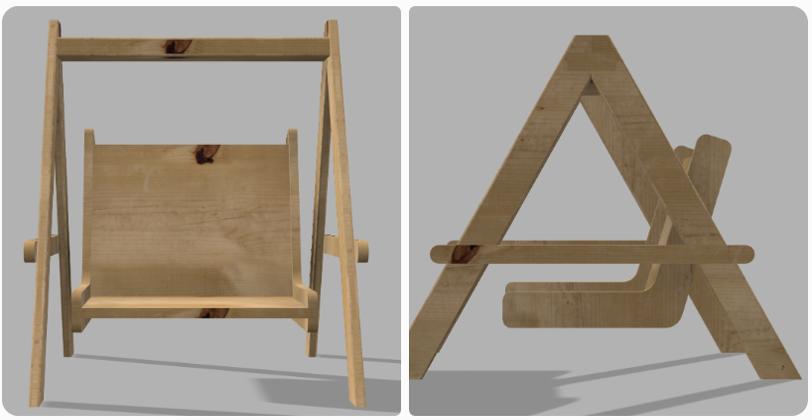
Task: I am building a swing prop for my children's photography studio but I need it to be completely stationary for safety reasons. The goal is to create a structure that looks like a traditional swing in photos while remaining a 100% rigid and immovable seat that will not sway or shift when kids climb on it. I want to avoid any 'magically floating' look for the seat so it must appear connected to the top beam, but I only have basic woodworking tools and cannot do complex joinery. How can I achieve a rock-solid support system that still maintains the visual illusion of being hung by ropes?

Input Image

Swing reference
Ground Truth: Bolt the seat to the frame using vertical wooden posts and wrap thick hemp rope around the posts to hide the wood and create the hanging illusion.

Model Reasoning (Single Turn — No Tool Calls)

Step 1
Defining the Challenge

I'm focusing intently on the core requirements: a swing prop for a photography studio. The immediate challenge is ensuring absolute immobility — it must be stationary, rigid, and safe, as a swing that moves is a photoshoot killer! I'm thinking about the implications of this stationary requirement, as it will impact the design considerations.

Analyzing the Structure

Now, I'm analyzing the provided image further. It presents a rigid structure, not a rope-hung swing as initially assumed. I see a critical horizontal wooden stretcher that joins the A-frame legs, and a seat that directly rests upon it. The seat back appears to lean against the frame. This changes my approach — I'll focus on a stable, supported design using simple tools.

Revising Support Structures

I'm now revising the support structures. Upon closer examination of the image, the side view reveals that the seat is likely supported by a horizontal bar that passes through or is attached to the A-frame legs, and not suspended from the top beam. This creates the "swing" illusion. I'm brainstorming solutions like embedding metal rods inside rope for a realistic look, but it might be overly complex, so I'm considering the more straightforward "hidden" support approach.

Exploring Visual Deception

I'm now exploring deceptive visual elements. Fake ropes attached to the top beam offer stability with easy woodwork, but the cross-brace's visibility is a concern. We can mitigate this with strategic angles or camouflage paint. Rigid wooden "ropes" are a simple alternative but risk looking unnatural. Another idea is triangulation from the back to provide a "ghost" support, which presents an invisibility challenge from all angles.

Constructing the Illusion

I'm now integrating rope aesthetics with bench stability. I plan to build a sturdy A-frame with a horizontal stretcher bar to anchor the seat, essentially creating a bench. The swing illusion will be achieved by drilling holes and running non-load-bearing rope between the seat and top beam. I'll use bolts or carriage bolts for the A-frame pivots and simple screws for the stretcher bars. I'm focusing on simplicity and basic tools.

Finalizing the Build

I'm now solidifying the construction details. I'll build an L-shaped seat, placing it atop the crossbars and securing it firmly with screws. This transforms it into a stationary bench. To achieve the swing illusion, I'll attach decorative ropes to the top beam and seat, pulling them taut for the desired aesthetic. I've ensured it meets all constraints: stationary, visually swing-like, requiring basic tools, and grounded for a stable look. My analysis includes the image, specifically the joint between the horizontal bar and A-frame. I'm seeing this as a lap joint or through joint.

Simplifying Connections

I'm now simplifying the joint between the stretcher bar and the A-frame legs. Instead of a complex pass-through, I will just screw the horizontal bar to the inside or outside of the legs. This will significantly ease construction while retaining the required stability.
Final Answer: The recommended solution is to build a stationary bench structure disguised as a swing.
  1. A-Frame Base: Construct a standard rigid A-frame using basic lumber.
  2. Horizontal Support (The Trick): Instead of hanging the seat, screw a sturdy horizontal wooden stretcher bar across the A-frame legs.
  3. Fixed Seat: Mount the L-shaped seat directly onto this horizontal bar. This ensures the seat is 100% rigid and cannot sway.
  4. Visual Illusion: Attach non-load-bearing ropes from the top beam to the seat holes. Pull them taut to mimic the tension of a real swing.
  5. Simplicity: Connect the horizontal bar to the legs using simple screws or carriage bolts (lap joint) to avoid complex joinery.
This approach satisfies the safety requirement (immovable) and the visual requirement (looks like a swing), achievable with basic tools. ✗ Failed

Data Examples

Selected examples from the AgentVista benchmark spanning 7 domains. Each example shows the task question, input images, ground-truth answer, and domain/subdomain classification.
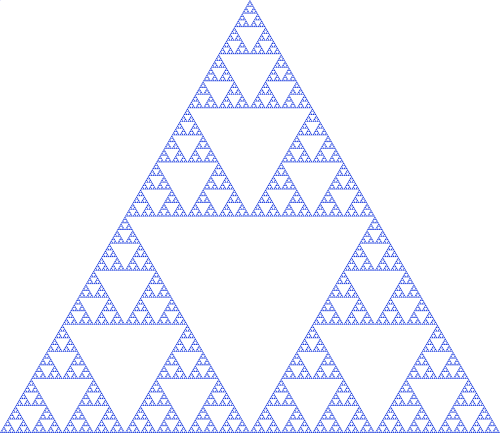
Academics Mathematical and Algorithmic Computation #2
Input image
Question: I am currently working on this math problem: Let the figure correspond to the n-th iteration of the Sierpiński triangle. Calculate the sum of the number of smallest triangles from the 0-th iteration to the (n+1)-th iteration, and output the integer S.
Answer: 9841
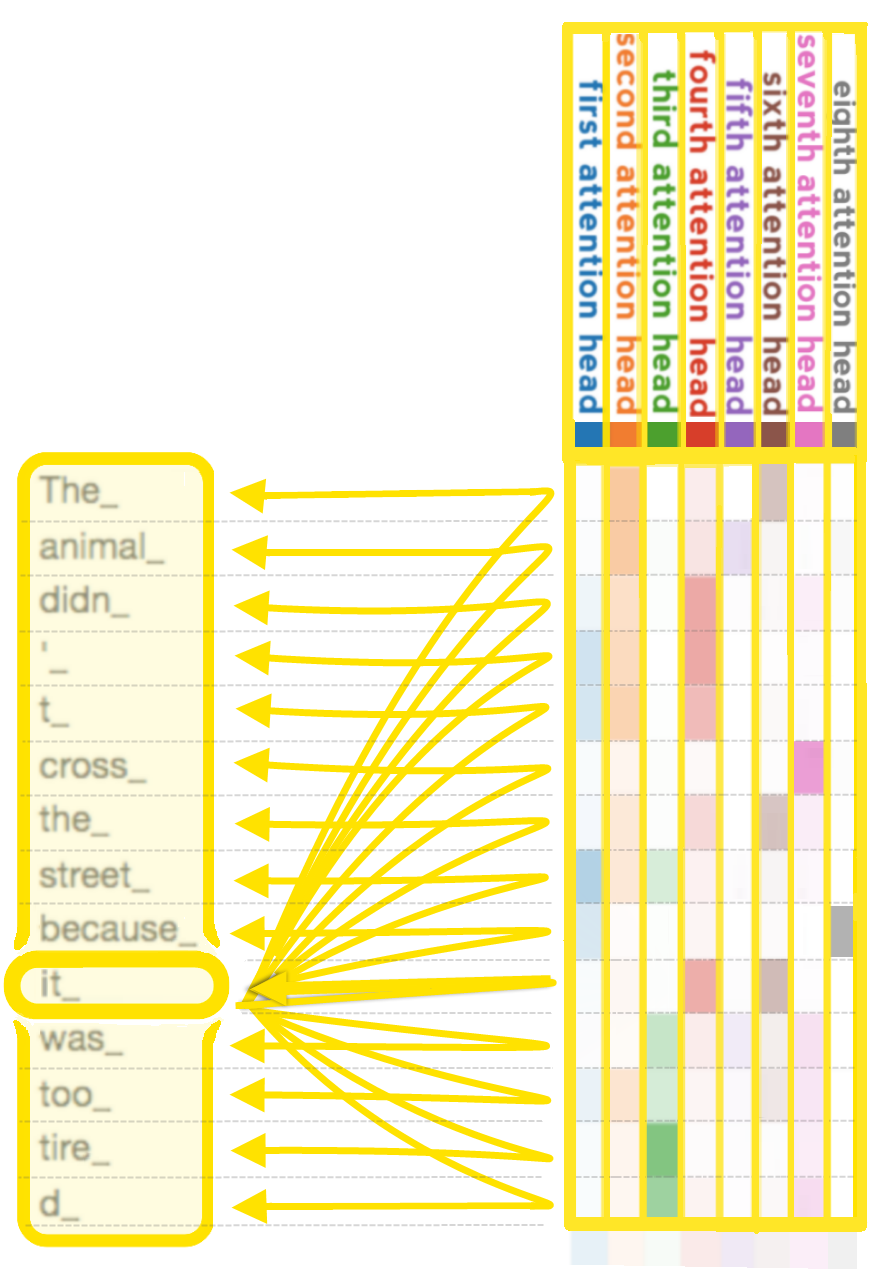
Academics Mathematical and Algorithmic Computation #34
Input image
Question: I am analyzing this attention visualization for a Transformer base model where the highlighted word on the left serves as the query. Based on the yellow connections visible in the diagram including the self-pointing link, assume that each connection belongs to exactly one of the attention heads as illustrated. I need to calculate the total number of scalar multiplications required specifically for the QK⊤QK^\topQK⊤ and Attn⋅V\text{Attn}\cdot VAttn⋅V operations in this single forward pass. Please provide only the final integer result while ignoring softmax, additions, and linear projections.
Answer: 1792
Academics Mathematical and Algorithmic Computation #159
Input image Input image
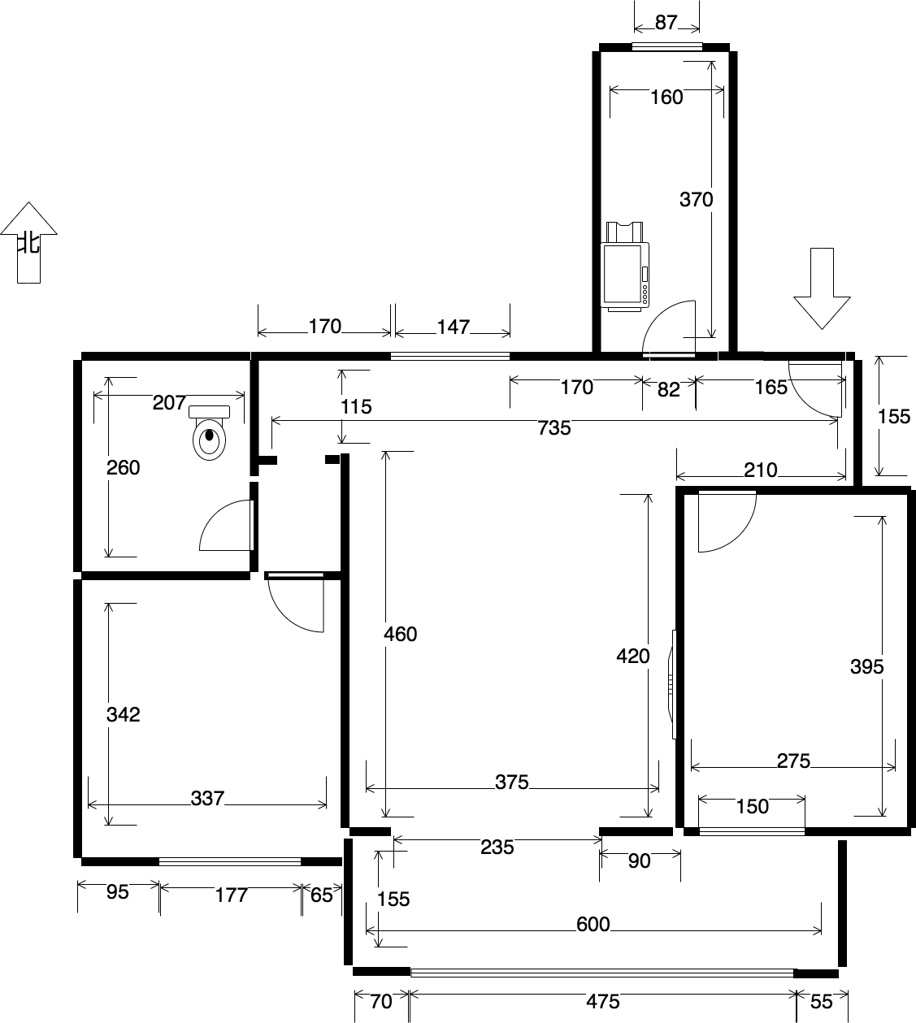
Question: This is the floor plan of my home in Beijing, and I now need to calculate the total cost for the renovation. My renovation arrangements are as follows:Install security doors for the doors connecting to the outside, and use wooden doors for all other doors (including standard doors, sliding doors, folding doors, etc.);For rooms where most of the area is directly exposed to sunlight at noon on the Spring Equinox, use wooden flooring; for the rest of the rooms, use marble flooring;Other parts are not included in the cost, and only material costs will be calculated—installation labor fees and shipping costs are not considered.All the above costs are based on the final selling prices in the second image, and the unit price of flooring is in yuan per square meter. Please help me calculate the total renovation cost(in RMB), rounded to the nearest whole number.

Answer: 20113
Commerce Value Optimization and Discounts #43
Input image
Question: I am shopping for my three nephews with a total budget of S$1,000 and want to buy LEGO sets from this Black Friday catalog. I can purchase a maximum of three units for any single item. My objective is to maximize the total piece count across all gifts to ensure the longest play time for the children. Given this goal and my budget constraints, what is the total amount of money saved by utilizing the Black Friday discounts compared to the original prices?
Answer: (469.90 - 300.55) * 2 + (43.90 - 34.00) * 1 + (79.90 - 56.90) * 2 + (124.90-83.30) * 3 = 519.4
Commerce Financial Analysis and Valuation #91
Input image
Question: property on Grove in London's N3 district. According to British building regulations regarding the minimum bedroom area, if this is a first home, how many rooms in this property legally meet the criteria for being a bedroom? Using the current average house price per square foot in the N3 district, what is the stamp duty that a first-time buyer would need to pay in pounds? (Rounded up to the nearest pound)
Answer: 6, 50, 932
Commerce Product Selection and Specification #100
Input image
Question: I am a jewelry maker planning to use the opal chips from this catalog to create birthstone jewelry for October 2025. The birthstone for October is opal. I specifically need opals with a blue tone that are not multicolored varieties (those without the "Multi-" prefix in their names). Among all the pure blue opals displayed in this catalog, what is the lowest price per gram based on the pricing of opal chips on October 1, 2025? Please express it in US dollars per gram.
Answer: $4.95 per gram
Commerce Product Selection and Specification #132
Input image
Question: I plan to take a combination of three medications for one week to treat my cold symptoms, which include fever, headache, nasal congestion, runny nose, dry cough, and sore throat. I strictly want to avoid drugs containing Western medicinal ingredients, and I am allergic to Vitamin C. Please identify the three suitable medications from the image and tell me the minimum number of boxes I need to purchase for a one-week course, calculated based on the minimum recommended adult dosage and rounding up any partial boxes to the nearest whole box.
Answer: 3 boxes of Lianhua Qingwen Granules, 5 boxes of Pudilan Xiaoyan Tablets, and 3 boxes of Zhike Juhong Pills.
Commerce Product Selection and Specification #133
Input image Input image
Question: Please compare two photos of 7-Eleven beverage refrigerators. In the left image (which shows 10 empty slots), I want to fill the empty positions with drinks that appear in the right image (which is almost fully stocked) but are not present in the left image. Each drink occupies one slot, and all drinks are assumed to have the same volume. My filling method is as follows: For the empty spaces in the left image, fill them layer by layer (each layer completely filled before moving to the next), starting from the top layer and proceeding downward (there are 7 layers in total). Within each layer, fill from left to right. For drinks that exist only in the right image (i.e., not found in the left image), the selection order is: Lower price first If prices are the same, choose the one with lower carbohydrate content (per 100 g) (Prices are based on the labeled retail price.) Question: After the filling process is completed (i.e., the left refrigerator is fully stocked), which beverage is placed in the empty slot immediately to the right of the “Dodo Green Tea (Passion Fruit Flavor)” in the left image? Please give the brand name of that beverage.
Answer: Fami Tea Series - Duoduo Green Tea
Commerce Product Selection and Specification #194
Input image Input image Input image Input image Input image
Question: I just purchased these sneakers on a second-hand resale platform. Acting as a senior sneaker authentication expert, please determine whether these shoes are authentic or fake; clearly state your conclusion and list two pieces of evidence to support your judgment.
Answer: Counterfeit. Basis for judgment (answer any two): 1. Wrong Inside Tongue Color 2. Top of Tongue Off Netting Off
Commerce Product Selection and Specification #202
Input image Input image Input image Input image
Question: I am considering purchasing the pre-owned watch shown in the picture. Please tell me if this watch is authentic and provide at least one piece of evidence that directly supports your conclusion.
Answer: Counterfeit. Basis (either answer is acceptable): 1. The back of the watch is engraved with the word "VERMEIL". The authentic product should be made of "gold-plated silver" material (with a golden appearance), but the watch shown in the picture is silver, and there is a contradiction between the material and the label; 2. The screws at the four corners of the back of the watch have flat printing/laser etching patterns, rather than real physical screws.
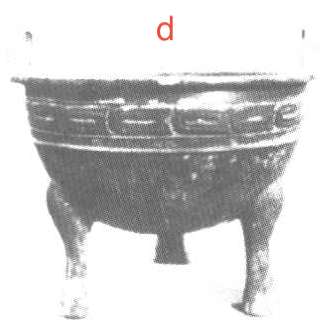
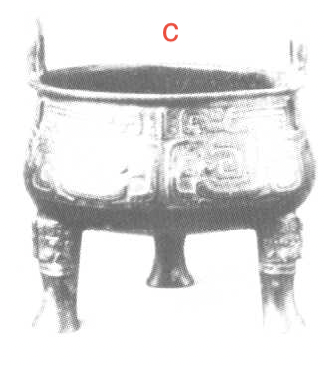
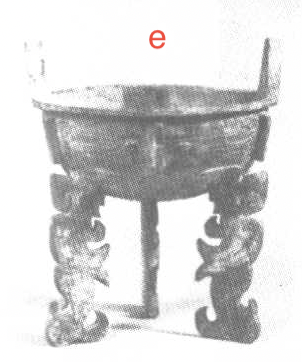
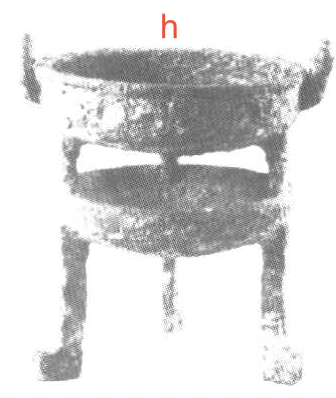
Culture Artifact Appraisal and Craftsmanship #5
Input image Input image Input image Input image Input image Input image Input image Input image Input image Input image
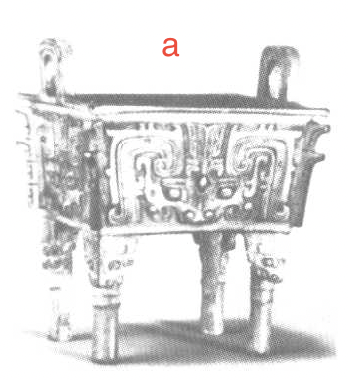
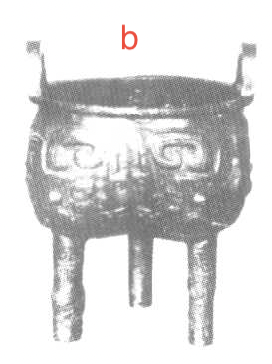
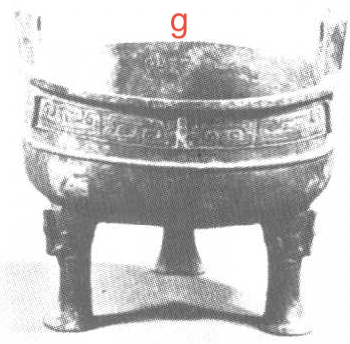
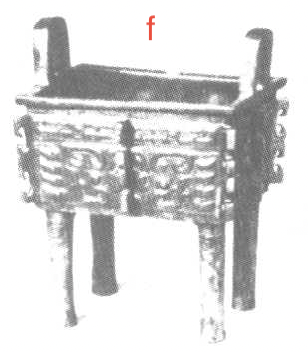
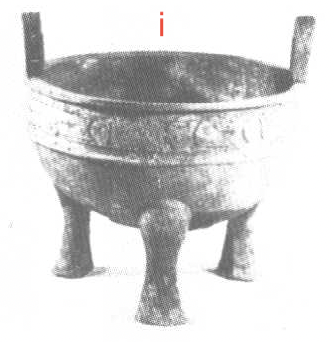
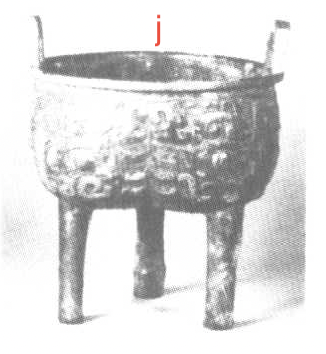
Question: I’ve been sorting through these old photos of bronze vessels for my archaeology lab assignment. There are ten items labeled a to j and I need to divide them into five distinct groups based on their shape and decorative style. I'm mainly focusing on things like the body structures, the leg designs, and how the patterns are carved. These old catalog clippings are pretty grainy so it's getting a bit difficult to keep track of the details. Could you help me pair them up and list out the five groups using their letters?
Answer: (1) a, f; (2) e, h; (3) b, j; (4) c, g; (5) d, i
Culture Cultural Knowledge and History #117
Input image
Question: Among all the Nobel Prize in Literature winning authors whose books are visible in this exhibition area, which author has more books of their works in this exhibition area?
Answer: J. M. G. Le Clézio
Culture Cultural Knowledge and History #208
Input image Input image Input image Input image Input image
Question: I am examining these three heraldic shields to understand their shared design elements and unique variations. I need you to identify the specific shared design among these images and explain the differences in their rim decorations. Furthermore, please determine who originally granted the specific coronet design that appears most frequently in these three examples.
Answer: 1. The Coronet 2. Differenced with maple leaves on the rim 3. The Lord Lyon
Entertainment Sports Analytics and Rules #36
Input image
Question: Looking at the distribution of 'P' (Personal Drinks) stations on this 2012 London Marathon course map, I want to calculate the supply requirements for an elite athlete. If the runner takes equal amounts of isotonic drink only at these specific stations and strictly adheres to standard endurance carbohydrate intake strategies, how much beverage in milliliters should be prepared at each station? Please use the official finishing time of the men's champion from that year as your reference and provide the final result as a single integer.
Answer: 238
Entertainment Sports Analytics and Rules #62
Input image Input image
Question: I want to know how well the player going for the layup in the picture performed in this game. How much does his game eFG% differ from the eFG% computed from the shot chart?
Answer: 13.8%
Entertainment Tabletop and Board Games #95
Input image
Question: This is an ongoing Scrabble game. The left image shows my current letter rack, and the right image shows the current board state. Considering all valid English Scrabble words that can be formed with the letters in my hand, all possible positions where words can be legally placed and connected to existing words on the board, and all bonus squares, what is the maximum possible score I can get in one turn, and from the perspective of getting more points in the future, what word should I form?
Answer: 14, ZOEAE
Entertainment Media and Hobby Curation #102
Input image
Question: This image shows someone's media collection, including anime, movies, video games, music albums, and books. Among all items in this collection that were released before 2010 and have a rating higher than 80% (or equivalent to 8/10) on their respective rating platforms (such as Metacritic, IMDb, or MyAnimeList), which work has the earliest original release year?
Answer: The Call of Cthulhu
Entertainment Media and Hobby Curation #156
Input image Input image
Question: I am studying photo post-processing and tonal adjustments. Please compare the two images and determine, from the first image to the second image, the direction of adjustment for each of the following parameters (only indicate whether the change is positive or negative, where positive means an increase and negative means a decrease): Exposure Contrast Highlights Shadows Whites Blacks Highlight tone / color grading (Highlights) Shadow tone / color grading (Shadows) Answer template: Exposure: + Contrast: + ...
Answer: Exposure: - Contrast: + Highlights: - Shadows: + Whites: - Blacks: + Highlight tone / color grading (Highlights): + Shadow tone / color grading (Shadows): -
Entertainment Sports Analytics and Rules #166
Input image
Question: I’m a beginner skier and it’s my first time at a ski resort. I plan to ski on alpine skis (double boards) with the following itinerary: first, ski a total distance of 1km in the training area; then, ski each beginner slope with an angle of 8 degrees or more once; finally, ski each of the steepest intermediate slopes once. Please help me calculate the minimum total distance I will ski and the number of chairlift rides required.
Answer: distance: 4705m chairlift rides required: 4
Entertainment Sports Analytics and Rules #167
Input image Input image
Question: How many independent shooting zone units are there in the area where the assist rate is less than 48%?
Answer: 49
Geography Route Planning and Navigation #48
Input image
Question: I’m a student at the HKUST, and in 2025 Fall semester I’m renting a place in Central to make job hunting easier. On school days, I usually take the MTR from Central to Hang Hau, then transfer to the cheapest minibus from Hang Hau to HKUST in the morning. At night, I take the shuttle bus from HKUST to Tseung Kwan O, then the MTR from Tseung Kwan O back to Central. Using the attached HKUST transportation map, please help me calculate my total commuting cost in that semester (in HKD),assuming I pay with a student Octopus card.
Answer: 25.8hkd
Geography Route Planning and Navigation #88
Input image
Question: Now Bob is going to start from the hotel, take his child John to the dentist, and then send John to the childcare center. However, after seeing the dentist, his mother Mary asked William to go to the place marked by the red arrow to get the childcare permit from Charles, and then go to the childcare center. How many extra kilometers does Bob have to walk because of this?
Answer: 0.7 miles
Geography Thematic Map Interpretation #90
Input image
Question: I'm moving to this city and need to find an apartment to rent in a residential community. I prefer areas with a crime rate lower than the average, and I hope the commuting time to the city center hospital by public transportation is within 20 minutes. Then, I'd like to choose residential communities with an overall lower average rent. Which two residential communities should I choose? (Provide two answers)
Answer: Carolina Place / Ardmore
Geography Thematic Map Interpretation #108
Input image
Question: In this map of UK election results, which single labeled area has the highest number of Labour Party (red) seats per 100,000 residents?
Answer: Norwich
Geography Route Planning and Navigation #129
Input image
Question: An elderly gentleman using a wheelchair needs to transfer from the Ginza Line (bound for Asakusa) to the Fukutoshin Line (bound for Yokohama). He cannot use stairs or escalators. Since his wheelchair has limited capability to turn left, please help select a route that requires the fewest 90-degree left turns. Additionally, please calculate the total number of left and right turns required (excluding maneuvers inside elevators).
Answer: 3 left, 8 right
Society Manual Assembly and Troubleshooting #6
Input image Input image
Question: I'm currently assembling this IKEA drawer unit. I thought I was following the steps correctly, but my result in Fig 2 looks 'off' compared to the reference in Fig 1. Can you pinpoint exactly what I did wrong? Also, please check the assembly manual (https://www.ikea.com/us/en/assembly_instructions/alex-drawer-unit-white__AA-2242840-5-100.pdf) and tell me on which page I can find the instructions to fix this specific mistake without having to dismantle the entire outer frame?
Answer: The back panel of the drawer is installed backwards. Refer to page 14 of the manual.
Society Manual Assembly and Troubleshooting #8
Input image Input image Input image
Question: I'm working on this massive LEGO castle, but I've hit a wall with these yellow pieces. Every time I try to snap them on, they either collide with the surrounding grey bricks or just won't seat properly. I must be looking at the wrong section of the manual. Could you help me cross-reference the assembly guide for this model and tell me which of the following areas is the correct designated spot for these parts? Options: A. Next to the four yellow squares on top of the flanking circular towers. B. On the lower castle walls, serving as decorative exterior sconces. C. Inside the four recessed grooves/studs in the center of the main building's grey roof. D. At the very front of the grey roof, mounted on the railing-like elements. E. Within the rock crevices of the unfinished ruin on the right side of the photo. Please analyze the current build progress in the photo and the manual to provide the correct answer.
Answer: C
Society Horticulture and Plant Care #16
Input image Input image Input image
Question: I was repotting my Pilea and was shocked to find this large white mass at the base of the roots. I poked it with tweezers and found it is not soft or squishy at all. It did not burst; instead, it feels quite hard and crusty like a dried-up scab. For context, I accidentally overwatered this plant severely about two months ago. It lost several leaves but eventually stabilized. Based on the image and this history, what exactly is this substance and do I need to apply any pesticides?
Answer: No pesticide needed. This is calloused or crustified root rot residue from the previous overwatering incident.
Society Health and Culinary #59
Input image Input image
Question: These photos show the exterior of a bar I visited before, along with the cocktail I ordered there. I’d like to recreate this cocktail now—based on its official recipe, please tell me the two ingredients used in the largest amounts and their exact quantities (in oz).
Answer: 1 oz. bourbon 2/3 oz. Italian brandy
Society Health and Culinary #181
Input image Input image
Question: I am preparing for a trip to Japan in 2025. Please look up the specific regulations regarding psychotropic drugs for entering Japan, confirm which of my medications fall under the controlled scope, and identify the maximum quantity (boxes/bottles) I can carry without applying for an "Import Confirmation Certificate." Please provide the answer in the "Drug Name - Maximum Quantity" format.
Answer: Lorazepam - 4 bottles
Technology Engineering Design and Analysis #38
Input image
Question: To ensure operational efficiency until 11:35 AM, I need to determine the minimum number of announcers required to handle the flight schedule shown on the departure board. Each flight requires a 30-second live announcement at its corresponding gate area at the exact 'Expected' time. An announcer must start at the main dashboard, walk to the designated gate, perform the 30-second announcement, and return to the main dashboard before they are available for the next assignment. Please use the 'Walking time' matrix on the right to account for one-way travel times between the dashboard and each gate. Given that one announcer can only be at one location at a time, what is the minimum number of staff members needed to cover all scheduled tasks?
Answer: 7
Technology Technical Benchmarking and Evaluation #120
Input image
Question: I want to find the most suitable parameter-efficient open-source vision model for deployment. Among all models with open-source licenses (Apache-2.0 or LLAMA 2 Community License) and an MMMU score exceeding 35, which model has the highest Arena Elo score per billion parameters?
Answer: Qwen2‑VL‑7B‑Instruct
Technology Hardware Troubleshooting and Maintenance #150
Input image Input image
Question: I am planning to add a digital microphone interface to this board without desoldering the main module, but I first need a reliable way to identify which ESP32 pins are connected to these specific pads. Since visual inspection is insufficient to determine their functions, I need a logical methodology to map these pads back to the module to verify if they support I2S signals for audio. Given that I have a multimeter and access to the official module datasheet, what is the most effective path to confirm these hardware connections without damaging the device?
Answer: Consult the module datasheet for the pinout and use a multimeter in continuity mode to trace the physical pads back to their respective module pins.
Technology Engineering Design and Analysis #168
Input image
Question: I am assembling a simple transmission model, and the figure above shows my target structure. During the gear installation process, I reversed the mounting positions of the No. 2 and No. 3 gray gears (marked with numbers in the figure). The size ratio of the gears is designed based on the first-generation Suzuki Alto. Please tell me what the actual corresponding gear positions are when the original shift lever is moved to 1st, 2nd, 3rd, 4th and R gears in this installation mode.
Answer: 1, 3, 2, 4, R

BibTeX

@inproceedings{su2026agentvista,
  title={AgentVista: Evaluating Multimodal Agents in Ultra-Challenging Realistic Visual Scenarios},
  author={Su, Zhaochen and Gao, Jincheng and Guo, Hangyu and Liu, Zhenhua and Zhang, Lueyang and Geng, Xinyu and Huang, Shijue and Xia, Peng and Jiang, Guanyu and Wang, Cheng and Zhang, Yue and Fung, Yi R. and He, Junxian},
  booktitle={Preprint},
  year={2026}
}